UniFi API Integration: Custom AI Dashboard for Commercial Truck Yard Telemetry
EXECUTIVE SUMMARY
Ubiquiti UniFi Protect is an exceptional, subscription-free video surveillance platform, but commercial logistics facilities often encounter complex operational hurdles that out-of-the-box features cannot solve alone. In this technical case study, we document how YesTechie engineered a custom AI integration by extending the UniFi ecosystem via its official API. By deploying a localized edge-compute server to process raw video feeds and telemetry, our team developed a bespoke machine learning dashboard tailored for a shared commercial truck yard. This system automates non-uniform asset tracking, including 40-foot intermodal containers, bare chassis, USDOT/MC numbers, and chemical Hazmat placards, delivering a tailored logistics auditing tool without recurring software subscription fees.

Project Blueprint & System Architecture
- Client Profile
- Entity: Rainbow Transport Tank Cleaners (Represented by Facility Manager Adam)
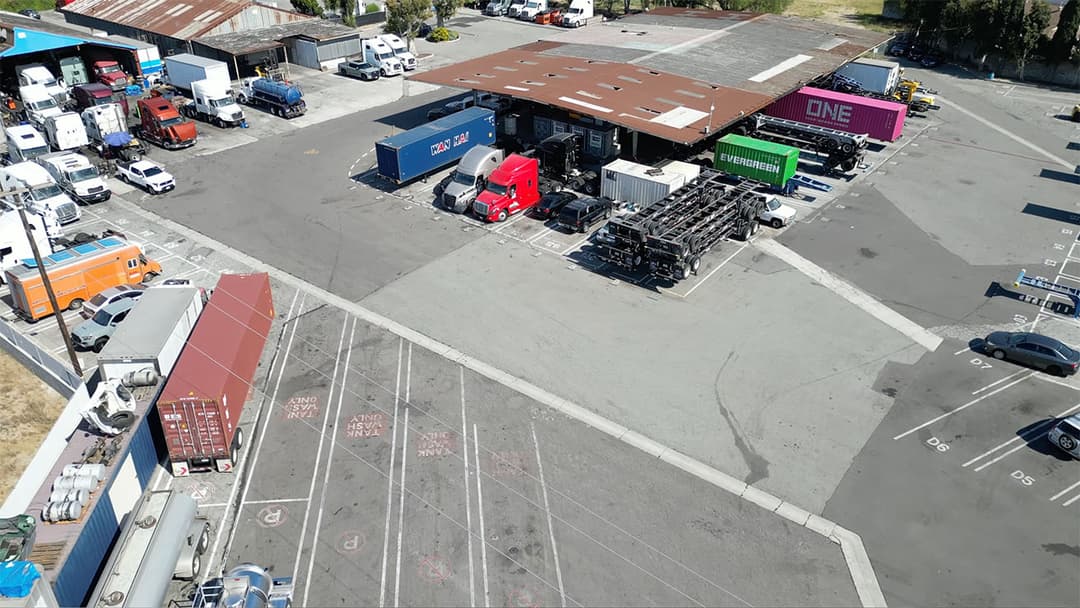
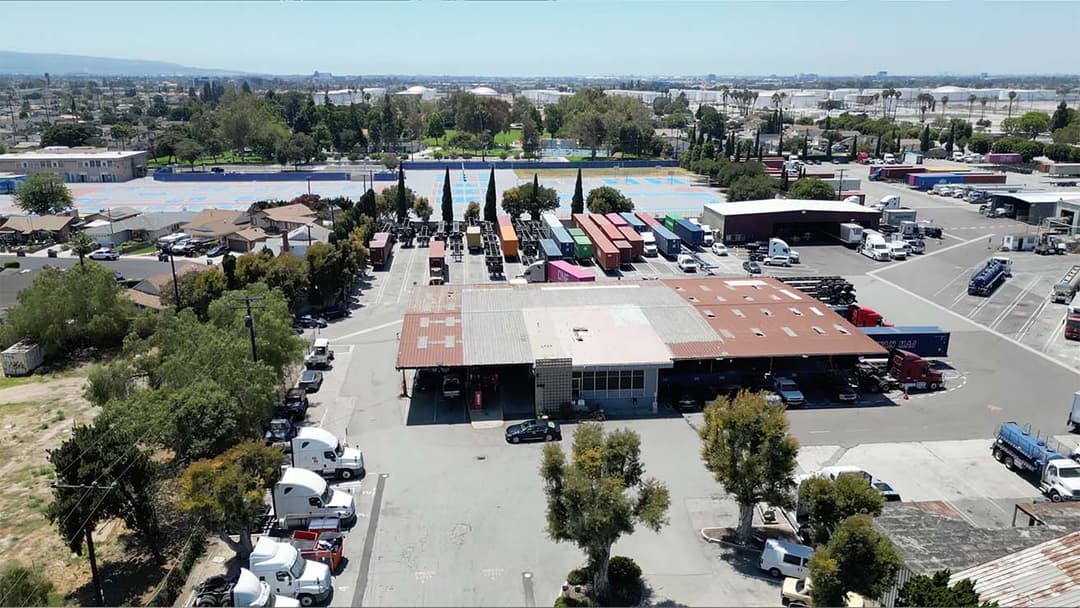
- Property Type: Multi-Tenant Shared Commercial Truck Yard & Tanker Cleaning Facility
- Core Operational Challenge: Tracking non-uniform commercial assets (intermodal containers, bare chassis, vacuum trucks, straight trucks) and capturing non-standard identifiers that standard License Plate Recognition (LPR) cameras miss.
- Hardware Matrix & Compute Layer
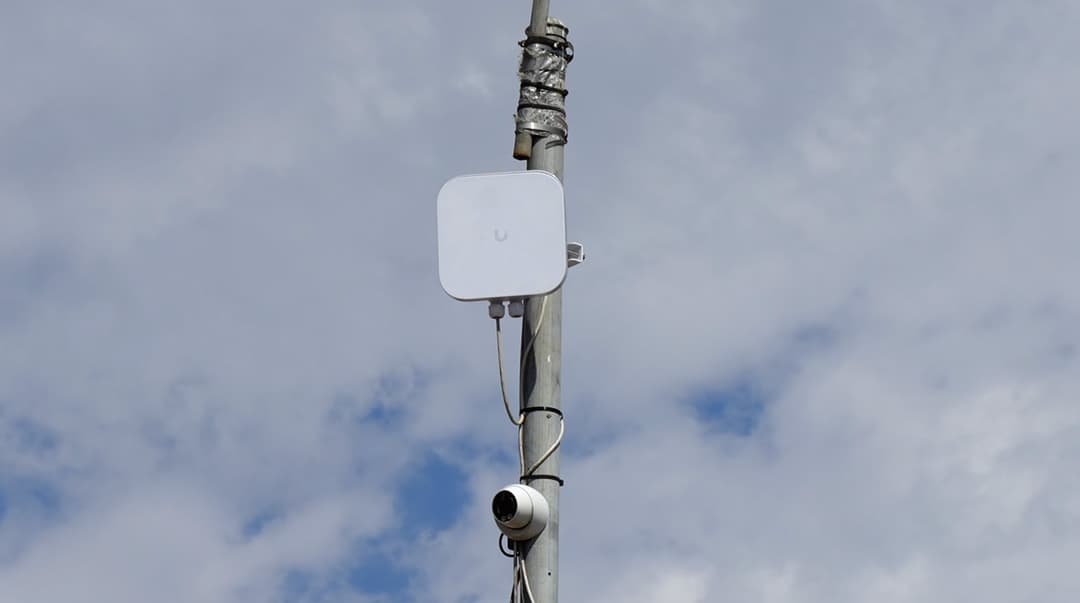
- Camera Infrastructure: Multi-camera entry array including specialized
UniFi AI LPRcameras, perimeter overview units, and a 90-degree low-mounted side-profile camera. - Edge Compute Node: Local high-performance server executing real-time computer vision inference and telemetry extraction locally.
- Access Control:
UniFi Access Gate Hubmanaging commercial perimeter barriers and after-hours entry.
- Camera Infrastructure: Multi-camera entry array including specialized
- Software & Custom Engineering Stack
- Base Platform: Ubiquiti UniFi Protect (Local Recording & Stream Generation)
- Custom API Layer:
UniFi API Integrationextracting live video feeds, microsecond timestamps, and camera metadata - Machine Learning Engine: Custom AI classification models trained for vehicle categorizations (bobtails, tankers, dry vans), color detection, and optical character recognition (OCR)
- Management UI: Custom-built web dashboard featuring dynamic filtering, video playback tiles, and automated log exporting.
When Out-of-the-Box UniFi Isn't Enough
Ubiquiti’s UniFi Protect platform has disrupted the commercial physical security market by eliminating mandatory annual cloud software licenses. For 95% of standard enterprise deployments, built-in capabilities such as object detection, vehicle classification, and License Plate Recognition (LPR) provide outstanding performance.
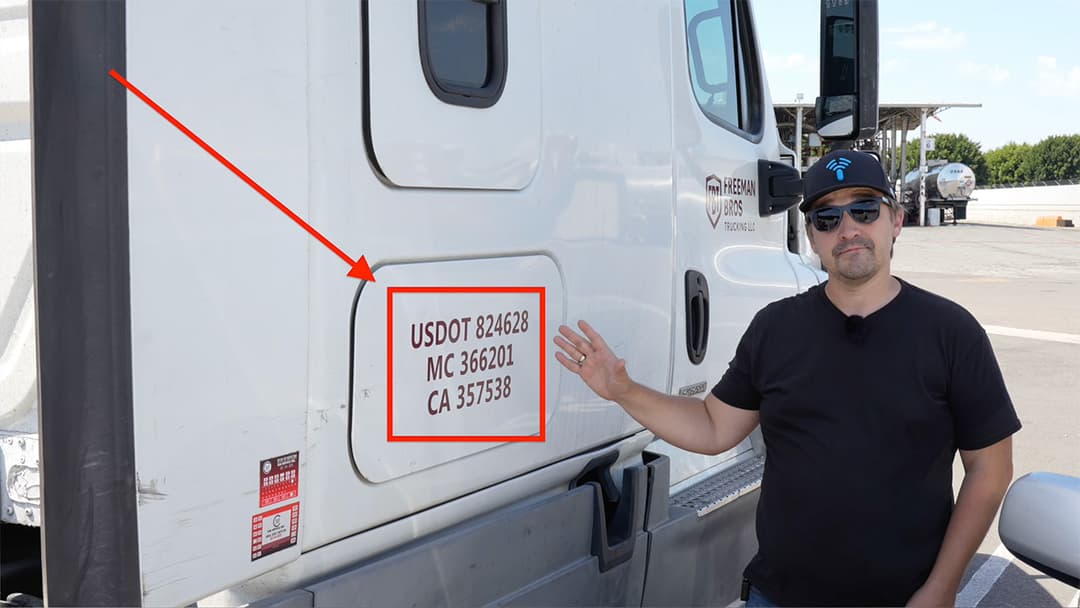
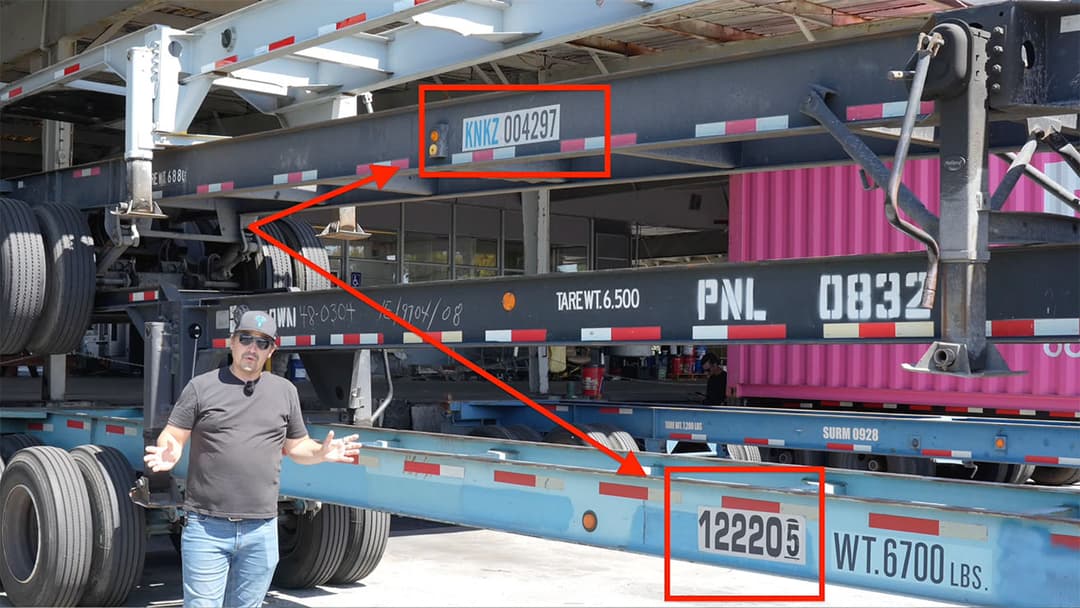
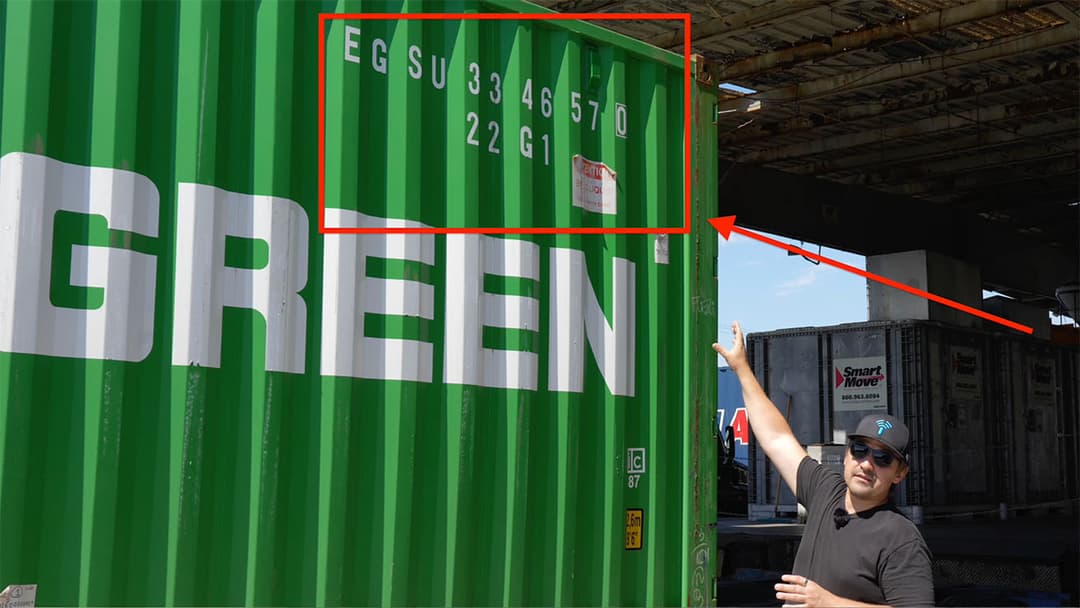
However, when managing specialized industrial properties, such as high-density logistics hubs or intermodal transport yards, generic security features encounter physical and algorithmic boundaries. Standard LPR engines are optimized specifically to read standardized automotive license plates. They are not natively trained to locate, parse, and index non-uniform commercial data, such as USDOT registration numbers on cab doors, 40-foot container IDs, chassis serial numbers, or hazardous material safety symbols.

When a commercial client requires deep operational intelligence, simply mounting more cameras is inefficient. As certified integrators, our role at YesTechie is to bridge the gap between standard physical hardware and custom software engineering. By leveraging a custom AI integration over the open UniFi API, we transform security cameras into active data-gathering tools tailored to an organization's precise workflow.
Client Consultation: The Challenge with Non-Uniform Assets
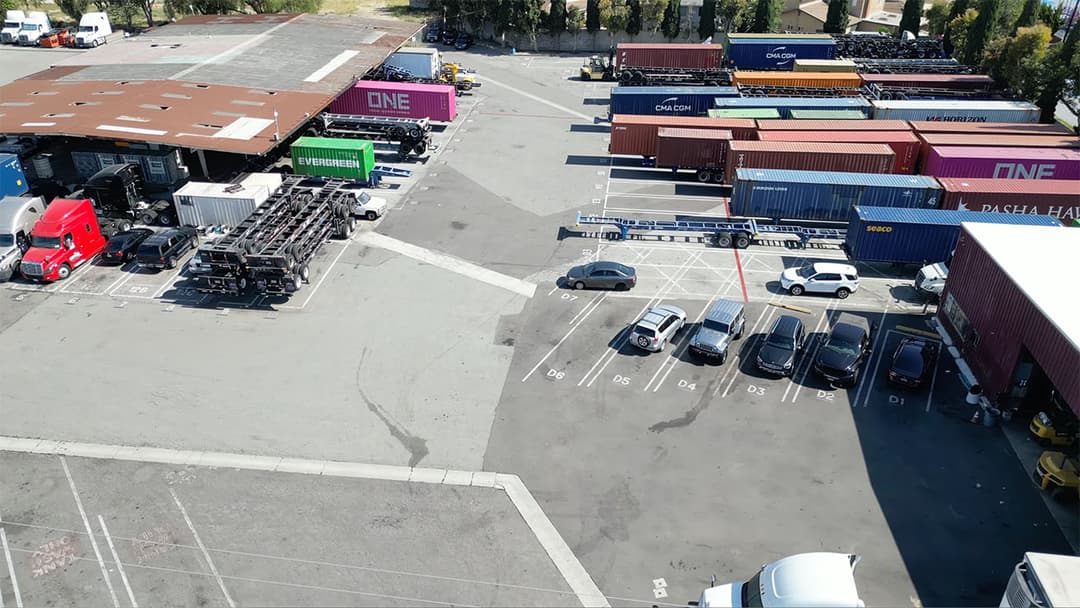
To architect an effective custom software layer, we began by conducting an on-site operational consultation with Adam, the facility manager for Rainbow Transport Tank Cleaners. The property operates as a high-traffic, shared commercial yard where multiple independent freight tenants store trailers, containers, and specialized fleet equipment.
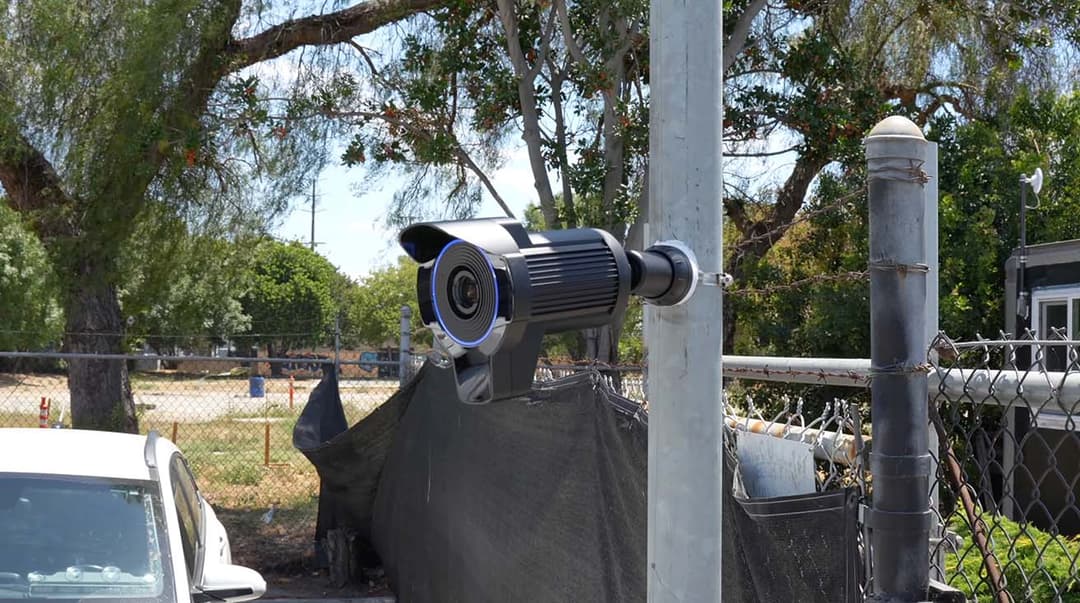
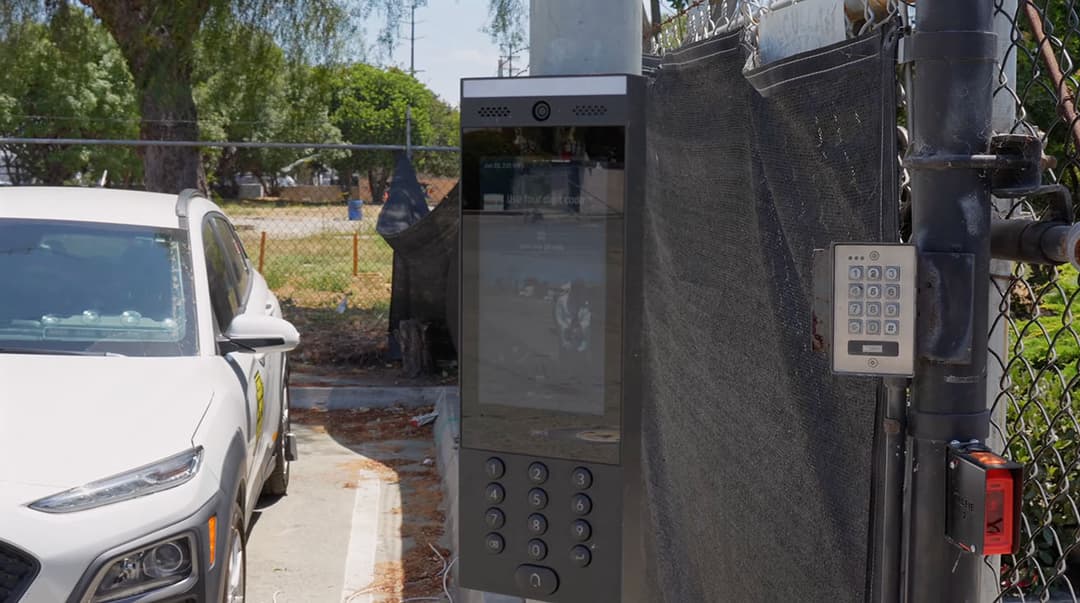
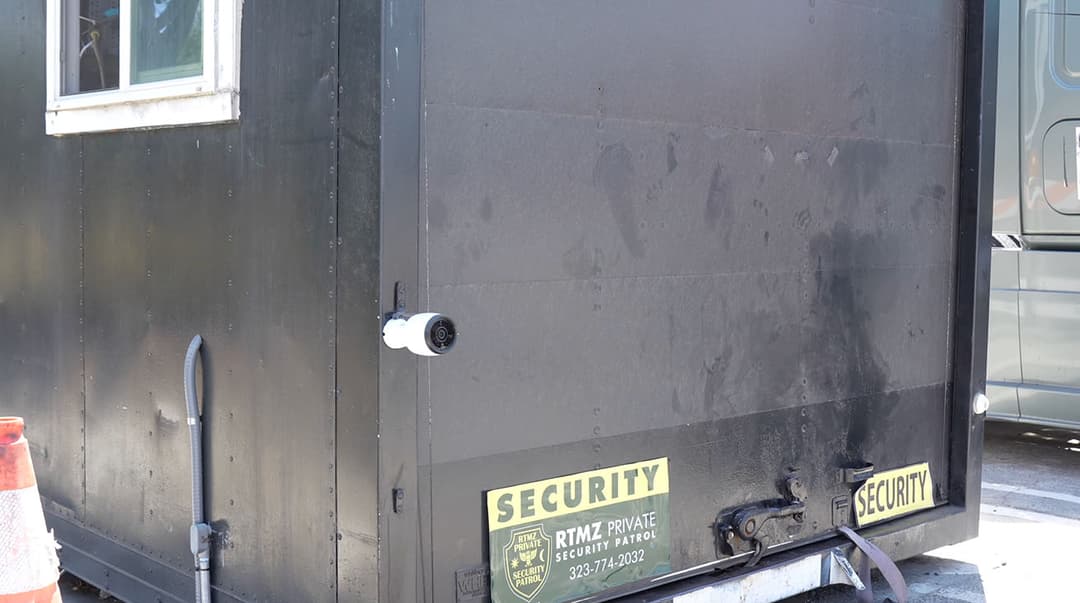
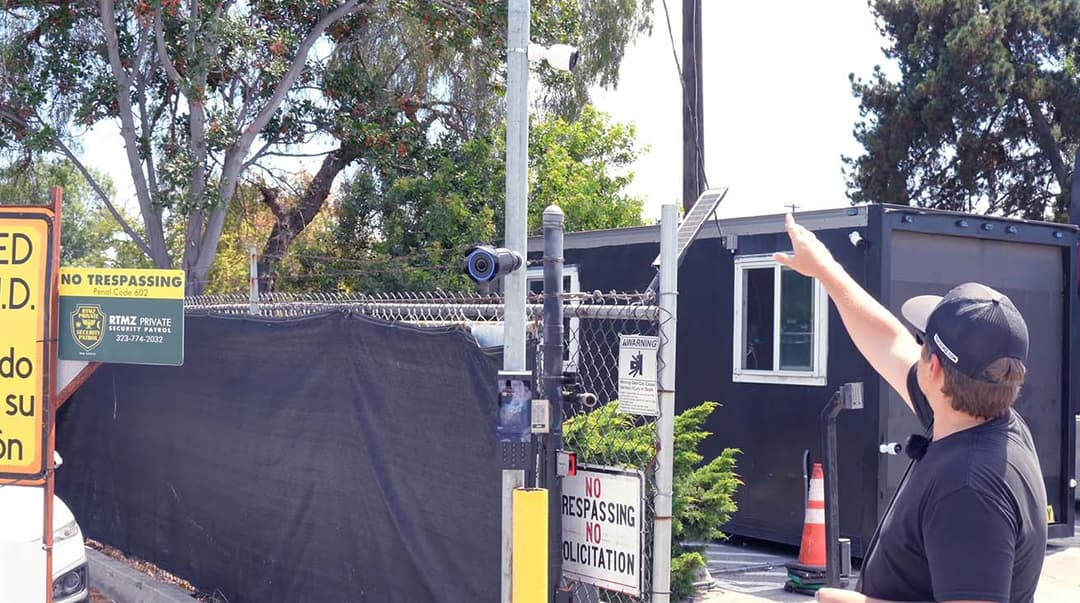
Prior to contacting YesTechie, the facility utilized a standard LPR setup. While that system captured standard front and rear vehicle plates reasonably well, it completely failed to record the wider array of commercial identifiers moving past the gate:
- Diverse Asset Categories: The yard handles intermodal 40-foot shipping containers, liquid tanker trucks, vacuum trucks, straight trucks, bare chassis trailers, and unattached bobtail cabs.
- Inconsistent Placement: Unlike license plates mounted at fixed bumper heights, commercial unit numbers and company decals are painted in non-uniform locations across vehicle side doors, elevated container walls, or trailer frames.
- Operational Logging Deficits: Without automated indexing, site managers had to manually scrub through hours of raw video footage whenever a billing discrepancy, missing trailer, or unidentified vehicle entry occurred.
Handling complex perimeter access for high-traffic entry points requires structuring terminal architecture efficiently. For instance, when designing physical entryways, we often implement dual UniFi access control gate setups to manage separate employee and heavy delivery lanes off a single control hub without over-engineering the hardware footprint.
YesTechie Demo: First Look at the Custom AI Dashboard
Following our initial intake assessment, the YesTechie team deployed a small computer locally on site to handle all processing. Connected directly to the local network, this server leverages the open UniFi API to ingest raw RTSP video streams and real-time event metadata straight from the recording core.
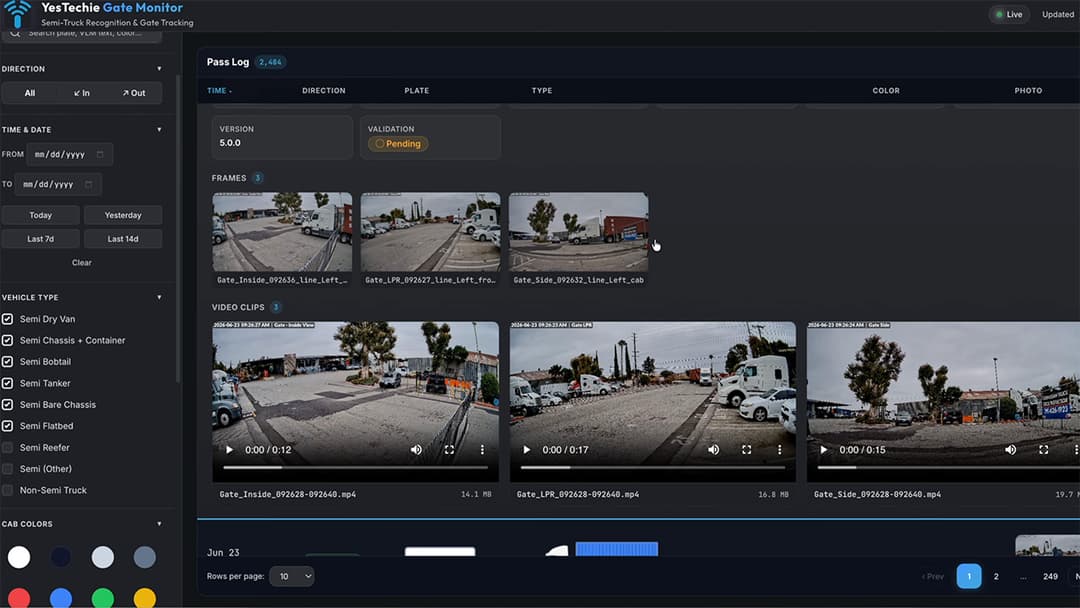
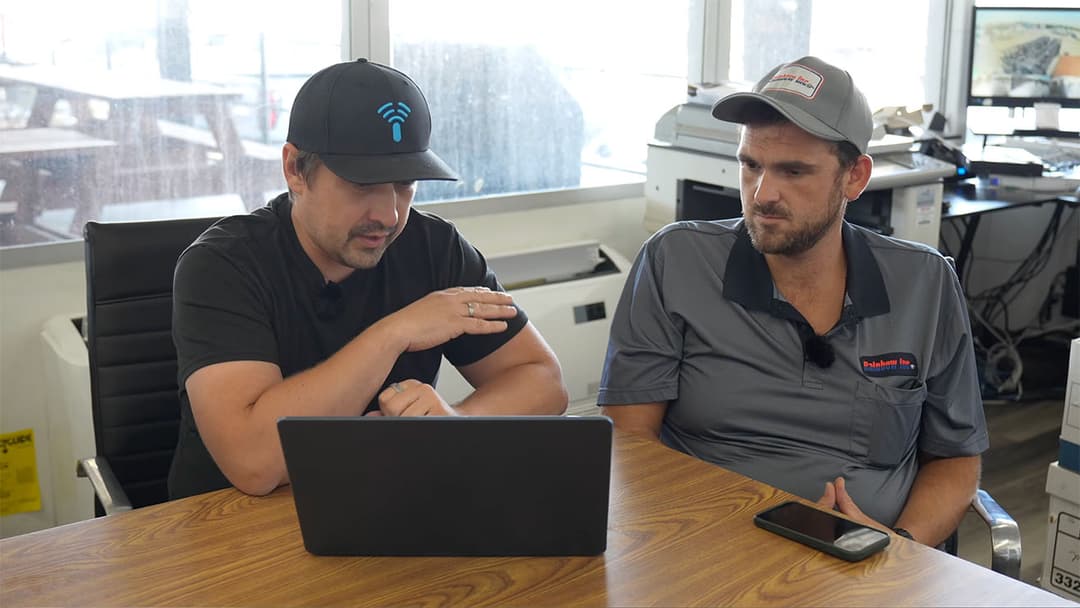
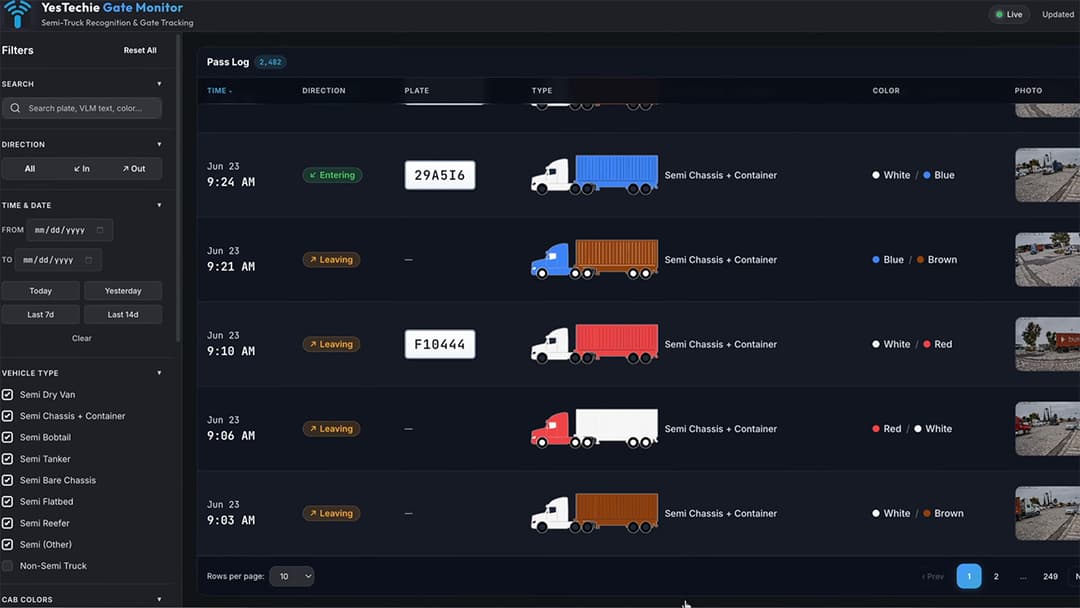
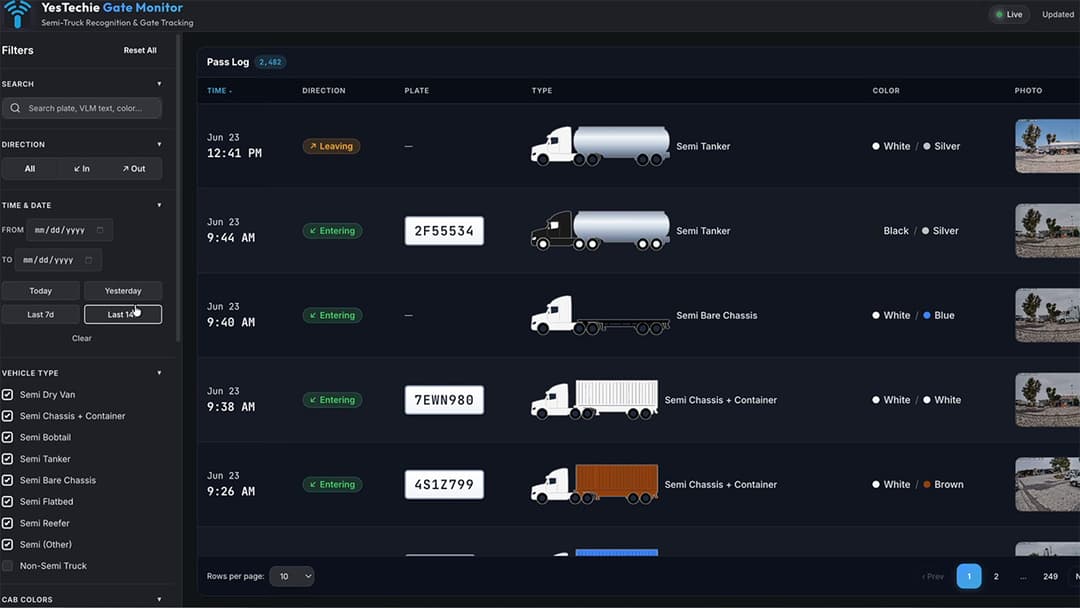
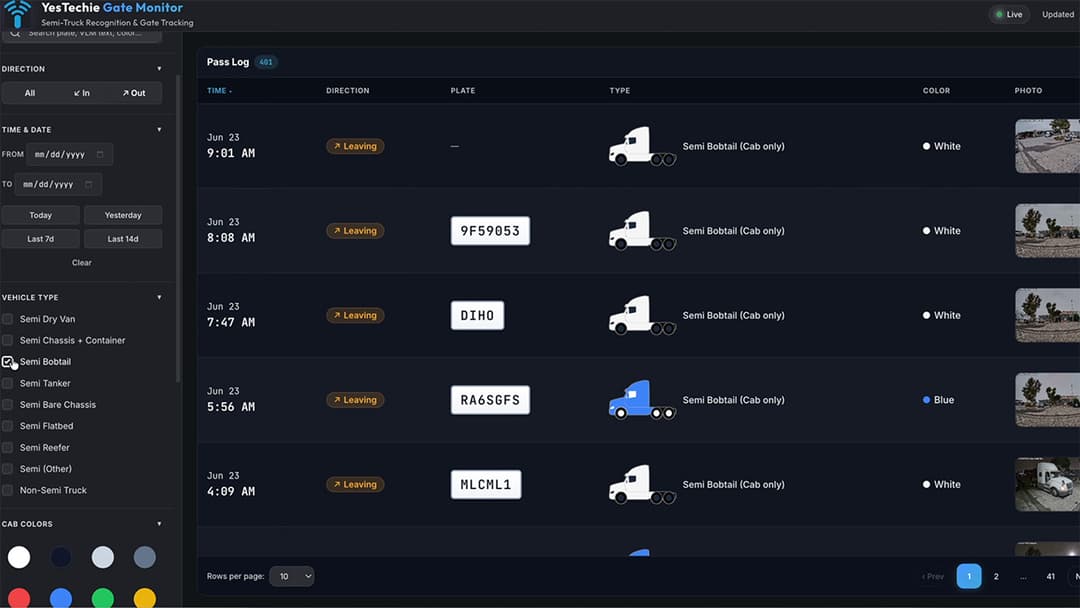
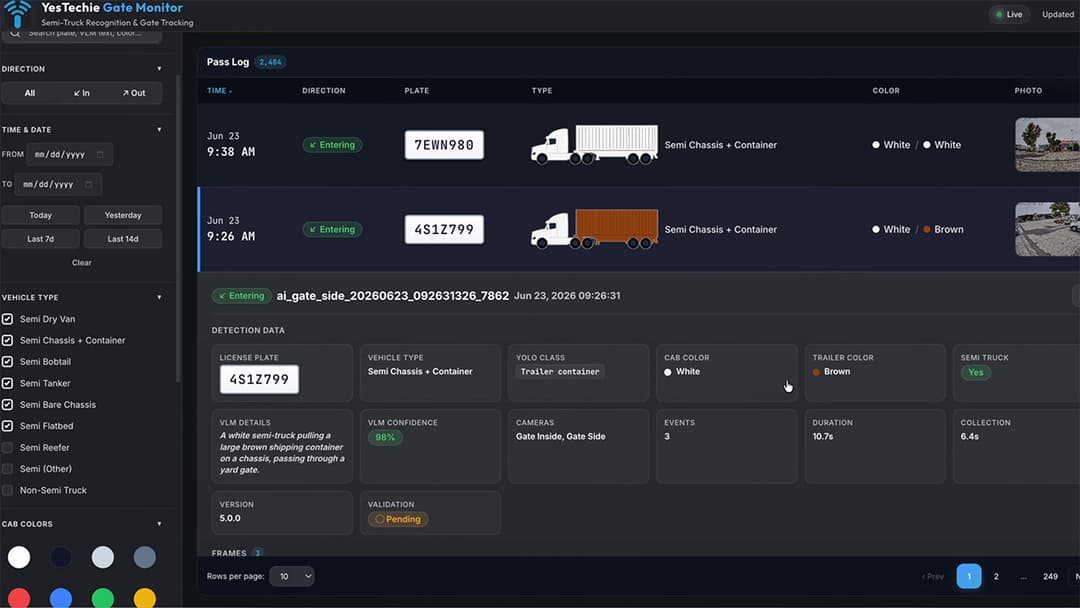
During our follow-up demonstration with the client, we presented the beta version of our custom truck yard vehicle logging user interface. Built specifically for non-technical administrative staff, the dashboard transforms raw security feeds into a clean, searchable database:
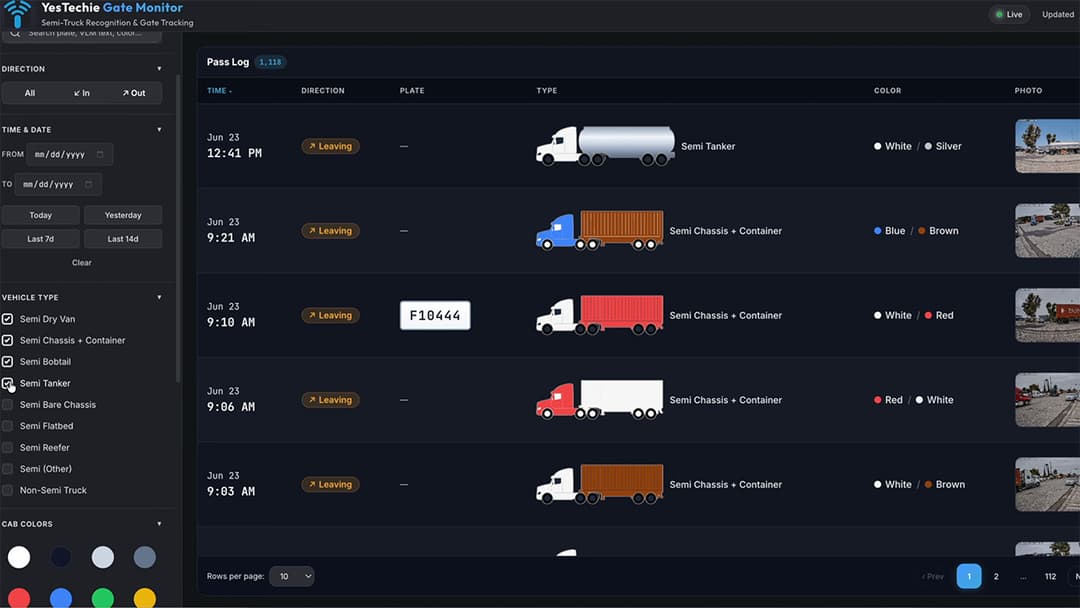
- Multi-Parameter Filtering: Operators can filter the event feed by specific date ranges, vehicle direction (ingress vs. egress), or specific equipment categories (e.g., isolating only tankers or bare chassis).
- Automated Telemetry Categorization: Using custom computer vision models, the software automatically classifies the cab color, container color, and attachment type directly from the camera snapshot.
- Synchronized Multi-Angle Playback: Clicking on any log entry opens a unified modal displaying snapshot thumbnails alongside synchronized video playback from all three entrance cameras, tracking the truck's exact movement through the gate.
Client Feedback: Tracking USDOT and Specific Truck Data
During the live dashboard review, Adam provided invaluable feedback regarding the daily operational priorities of freight terminal management. While visual color tags and general timestamps are helpful, logistics auditing requires tracking high-priority corporate identifiers.
Specifically, the client highlighted that their primary administrative bottleneck centered on identifying:
- Container Assets: Linking customer names directly to 40-foot intermodal container numbers.
- Bare Chassis Vehicles: Matching tenant company names to specific chassis unit serial numbers.

Because USDOT registration numbers and company logos are painted in varying positions on truck cab doors, standard fixed OCR algorithms often miss them. Our engineering team adapted the UI layout by adding dedicated metadata tiles. Instead of forcing staff to manually expand video clips to read door decals, our custom machine learning tracking model crops the side-view door panel image, extracts the text, and displays the USDOT number and company name directly on the main event card.
Operational Needs: Identifying Hazmat Signs & Tankers
A critical requirement unique to Rainbow Transport Tank Cleaners is their specialized industrial service: washing chemical tanker trailers. Commercial tankers arrive at the facility 24 hours a day, frequently dropping off trailers overnight when administrative offices are closed. Drivers often unhook their loads and depart without leaving physical paperwork detailing what chemical cargo was previously carried inside the tank.
This creates a serious operational issue: cleaning crews arriving in the morning do not know what chemical wash protocols or safety procedures to apply without knowing the tank's previous contents.
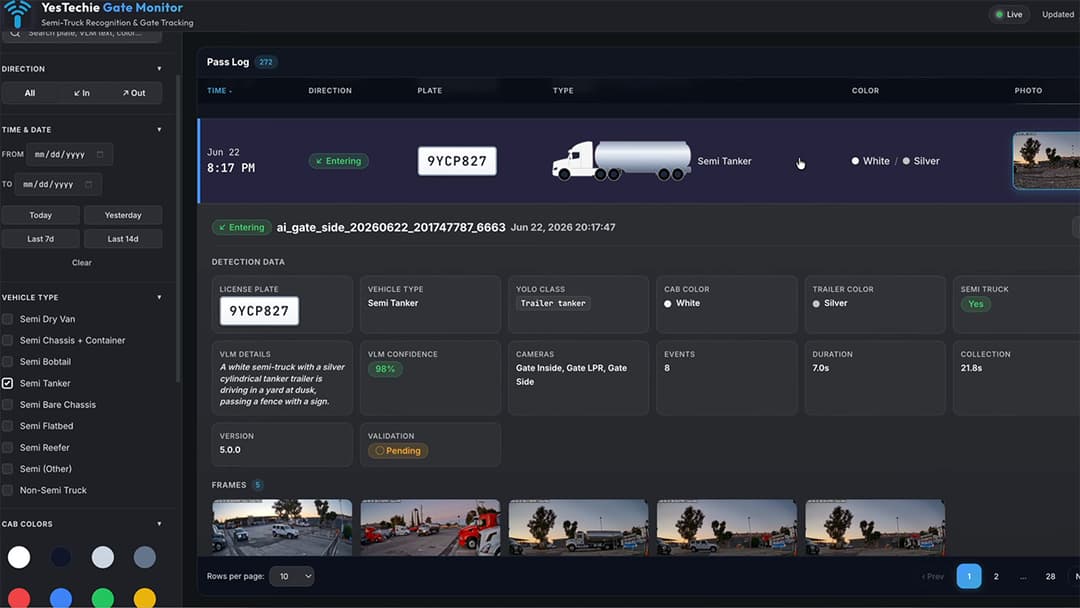
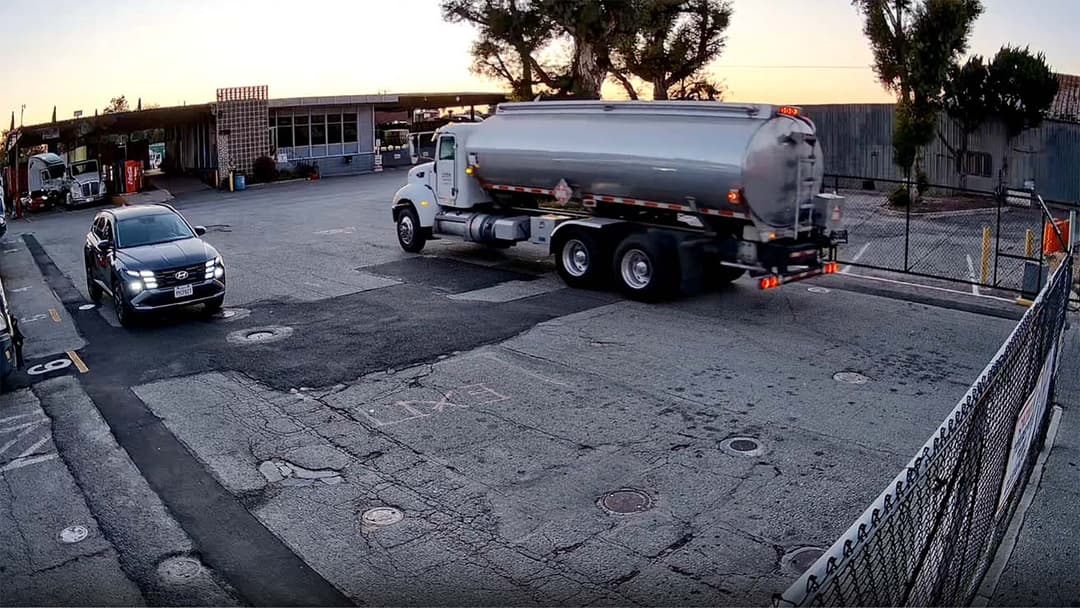
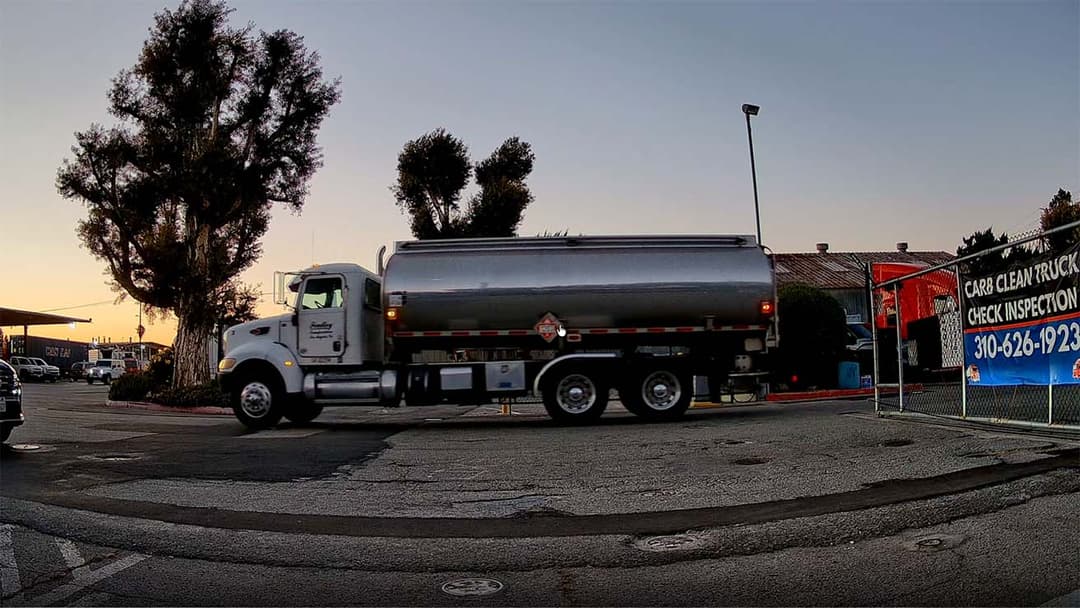
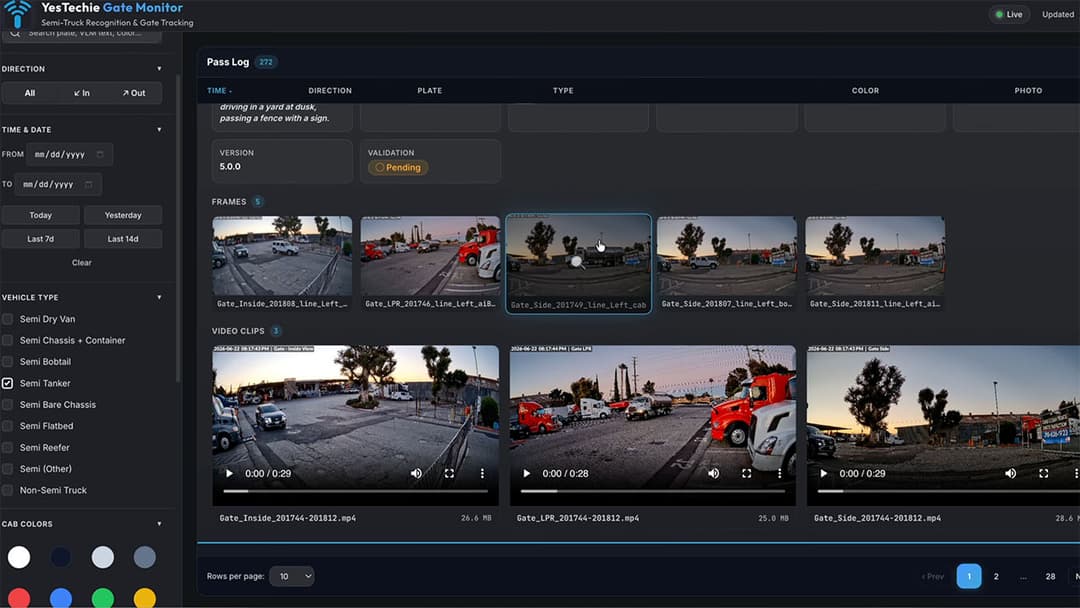
To solve this, we expanded our custom AI integration to detect diamond-shaped Hazardous Material (Hazmat) placards and four-digit UN Hazard Identification numbers mounted on incoming tankers:
- Standardized Placard Recognition: Hazmat symbols follow strict international design standards, making them ideal targets for computer vision classification.
- Automated Hazard Categorization: The custom ML engine categorizes the placard type (e.g., Flammable Liquid, Corrosive, Toxic) as the truck enters the gate.
- Pre-Arrival Cleaning Preparation: Nighttime incoming footage automatically indexes the hazard classification, allowing morning wash crews to view the hazard code immediately and prepare the proper cleaning compounds before opening the tank hatches.
UI Review: Filtering by Cab Color and Trailer Type
Searching through daily freight logs by license plate number alone is often impractical during routine operations. Facility managers frequently receive vague search details—such as a gate guard reporting an entry by "a red cab pulling a brown container"—or encounter commercial fleets where unit numbers are painted in non-standard locations.
Solving Non-Uniform Fleet Identifiers
Commercial transport companies apply unit numbers and branding decals unpredictably across their fleets:
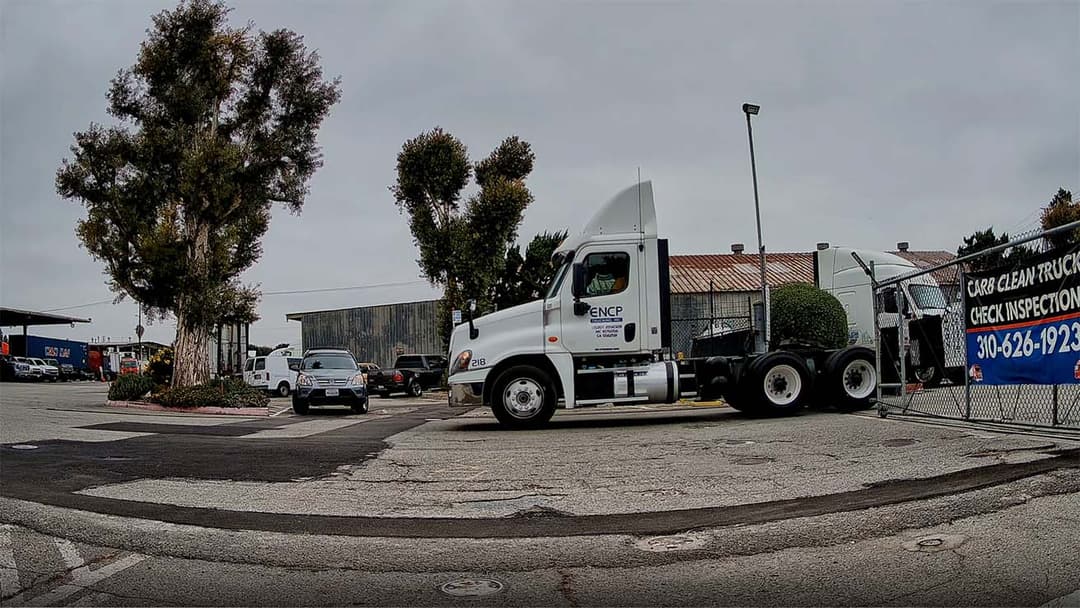
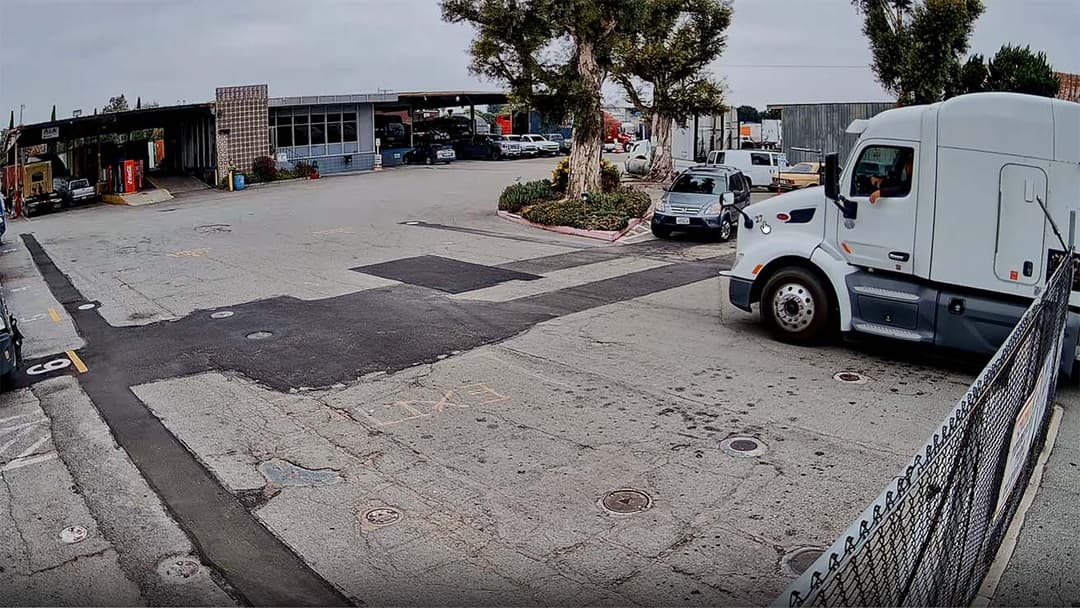
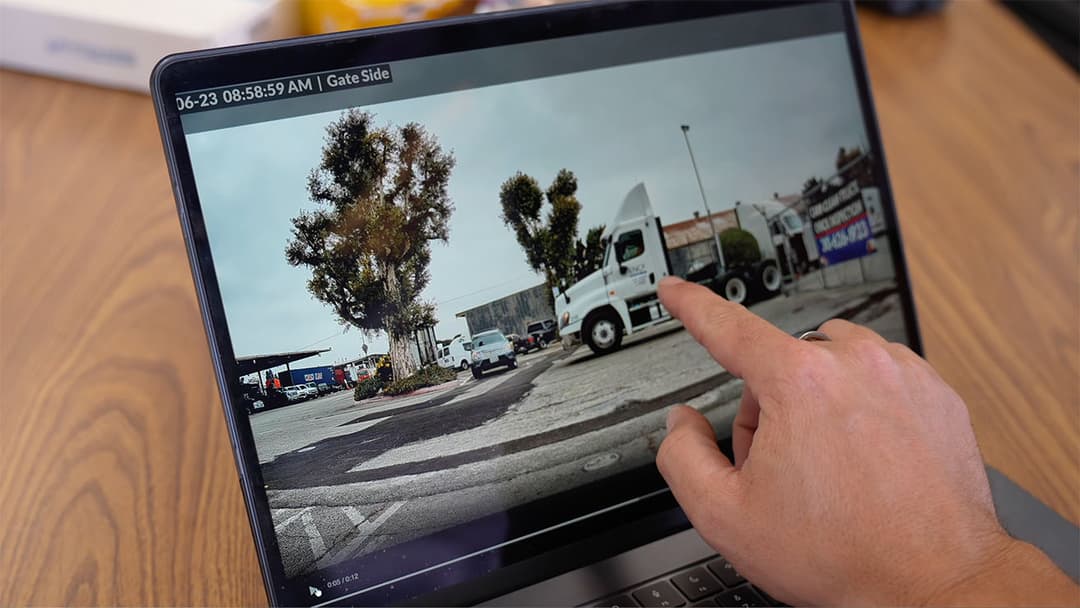
- Variable Number Placement: Fleet unit identifiers appear in inconsistent locations across different truck models, such as near front hood headlights (e.g., unit "27"), low on cab door panels (e.g., unit "218"), or high on upper aerodynamic fairings.
- Company Branding Decals: Carrier names (such as "ENCP TRUCKING, INC.") and USDOT/MC registration numbers are displayed on side cab panels rather than standard front bumpers.
- Side-Profile Verification: To capture these non-uniform locations, our layout utilizes a low-mounted 90-degree side-view camera. When an operator filters the log by carrier name, timestamp, or color combination, they can click directly on the entry to review side-profile video frames and verify specific unit numbers.
The YesTechie Gate Monitor Interface
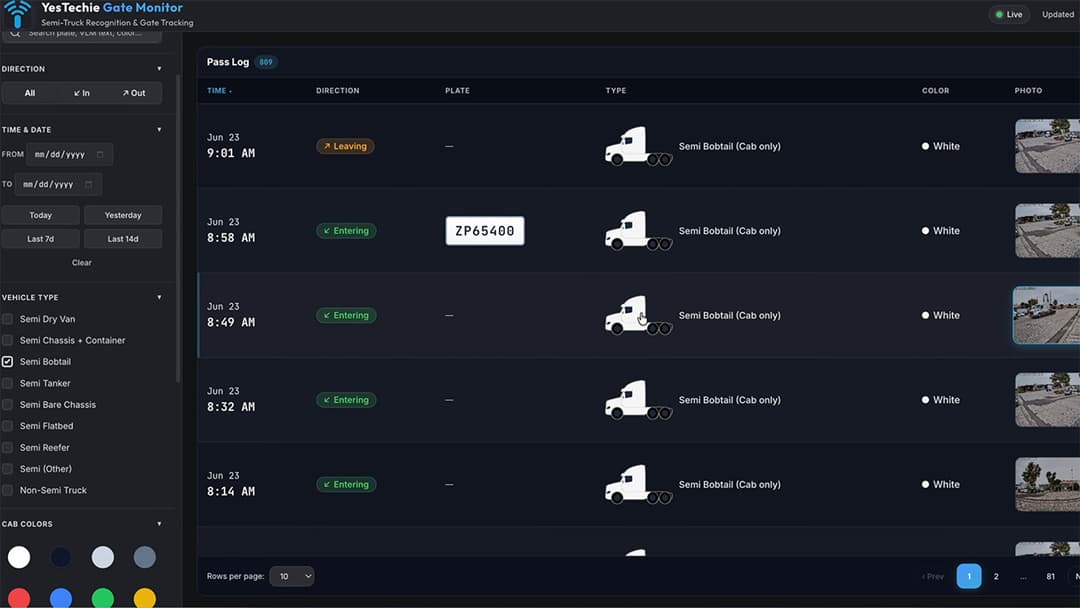
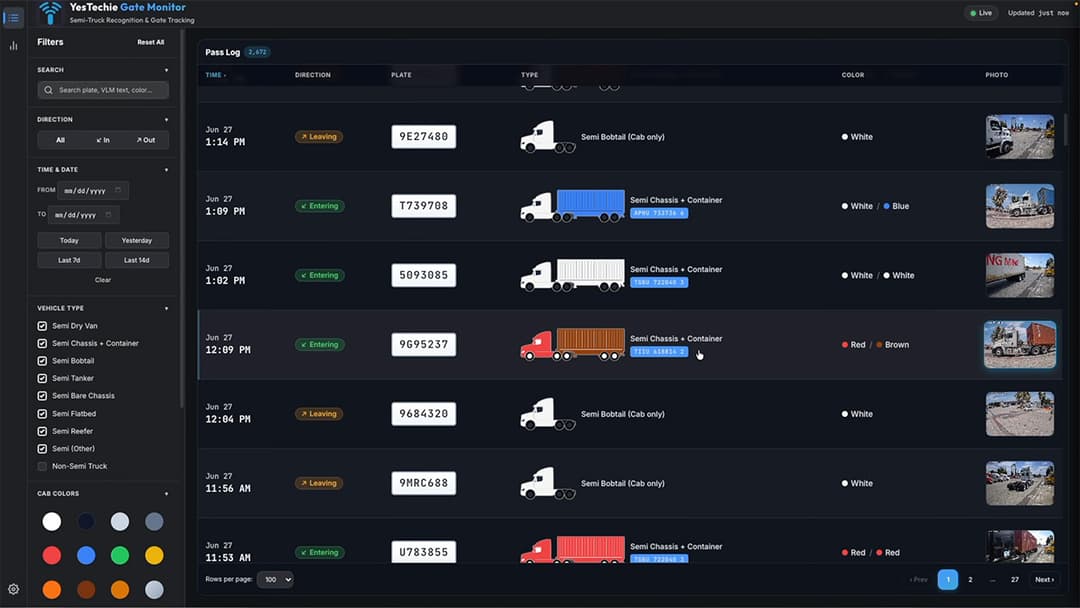
To eliminate manual video scrubbing, the YesTechie Gate Monitor dashboard organizes event logs into a multi-parameter filtering system:
- Vehicle Type Segmentation: Operators can isolate specific equipment categories using sidebar checkboxes—including Semi Dry Van, Semi Chassis + Container, Semi Bobtail, Semi Tanker, Semi Bare Chassis, Semi Flatbed, Semi Reefer, and Non-Semi Truck.
- Visual Color Swatches: Interactive color palettes for
CAB COLORSandTRAILER COLORSallow one-click filtering by primary paint colors (e.g., isolating a "Red" cab pulling a "White" container or a "Black / Silver" tanker). - Detailed Event Feed Cards: Each record in the Pass Log stream displays microsecond entry/exit timestamps, direction badges (
Enteringin green orLeavingin orange), plate text badges (e.g.,ZP65400,2F55534,7EWN980, or unread—markers), explicit color strings (White / Blue,White / Silver), camera thumbnails, and custom vector diagrams reflecting the exact vehicle configuration and color scheme.

Achieving high-accuracy visual classification across broad entry zones requires placing perimeter cameras at optimal focal lengths. When blueprinting high-density perimeter surveillance, deploying an enterprise multi-sensor camera deployment allows integrators to cover wide staging areas and multi-lane approach paths from a single structural pole, providing complete visual context around entrance gates.
Feature Requests: Building What the Business Actually Needs
Traditional proprietary security software vendors impose rigid, closed feature sets. If a commercial client requires a custom workflow, vendor feature requests are typically ignored or delayed for years behind product roadmaps.
During our interactive design session, Adam pointed out key visual distinctions between similar equipment types that were critical for billing accuracy:
- Differentiating Dry Vans from Intermodal Containers: While both look like large rectangular metal boxes, intermodal containers feature distinct vertical corrugated lines and corner casting locks, whereas standard dry van trailers have smooth aluminum panels. Our ML model was updated to recognize these structural line patterns, preventing miscategorizations.

- Handling Specialized Rigs: The client highlighted unique vehicles like vacuum trucks and straight trucks, where chassis numbers are stamped in non-standard locations.
- One-Click Issue Reporting: To ensure continuous model improvement, we integrated a "Report Issue" button directly into the dashboard interface. If a site operator notices a misclassified truck or an unparsed container number, a single click packages the video frame and sends it to our engineering team to retrain and refine the local AI model.
Strategy: Camera Angles and Nighttime LPR
Optical detection accuracy depends heavily on physical installation geometry. During initial testing, we observed that vehicles traveling through a secondary bypass lane bypassed the primary LPR camera's optimal focal plane. Because the camera angle relative to the secondary lane was too wide, optical recognition rates dropped.
To guarantee a 95%+ capture rate across all operating hours, we engineered a refined dual-lane capture strategy:
- Single-Lane Traffic Funneling: Adam emphasized that forcing commercial vehicles into a single entry lane serves a dual purpose. Beyond improving camera capture angles, forcing trucks to slow down at a single barrier significantly increases safety across the shared yard.
- Dedicated Nighttime LPR Hardware: To handle automated after-hours entry, we integrated a secondary
UniFi AI LPRcamera dedicated strictly to the night lane. This unit utilizes high-speed shutter controls to eliminate headlight glare, ensuring clean plate capture even when vehicles approach in total darkness.

- API Scalability: Adding secondary LPR cameras directly into the UniFi ecosystem requires zero additional software licenses. The custom AI server ingests streams from newly added cameras automatically via the UniFi API without disrupting ongoing data processing.
Managing high-volume entry lanes and automated gate barriers under strict traffic rules parallels our engineering approach for gated community security deployments, where integrating multi-camera LPR gateways with gate access controls eliminates perimeter bottlenecks and prevents unauthorized entry.
Business Operations: Exporting Automated Data Logs
A primary requirement for commercial yard management is transforming raw video data into actionable business intelligence. During our consultation, the client highlighted two operational use cases where exporting data logs is essential:
- Third-Party Tenant Auditing: Providing tenant fleet managers with verified records of their specific trailers entering and leaving the property.
- Fact-Checking Billing Discrepancies: Verifying exact staging duration and entry frequency (e.g., proving a specific intermodal container entered the yard four separate times in a single week).
To support these business operations, our team added an automated log export engine to the dashboard, allowing administrators to generate structured CSV and Excel reports with a single click.
Local Data Retention Strategy
Managing high-resolution video streams across dozens of cameras consumes significant storage capacity. By separating raw video files from lightweight text telemetry, we implemented a cost-effective storage hierarchy:
- Full Video Retention (30–90 Days): High-definition multi-camera video footage is retained locally on enterprise NVR hard drives for 30 to 90 days, providing total forensic playback.

- Structured Log Retention (Indefinite): Extracted text data, including timestamps, plate numbers, USDOT IDs, and container numbers, is stored in a lightweight local database. Because text logs consume negligible disk space, years of historical traffic records can be queried instantly without requiring expensive cloud storage tiers.
Architecting localized, subscription-free databases for commercial clients reflects the compliance standards we apply in industrial visitor security and lobby automation, where local data logging guarantees total compliance without monthly software fees.
The Integrator Advantage: Custom API Development
Proprietary, closed security platforms limit commercial clients to off-the-shelf software features. If a native dashboard lacks a specific filter or data field, business managers are forced into inefficient manual workarounds.
The primary advantage of deploying UniFi hardware through a professional integrator is the platform’s open API architecture. Ubiquiti provides direct local API access, allowing developers to query telemetry, capture event triggers, and pull RTSP video feeds freely.

Role-Based Administrative Control
During our review, Adam noted that while general yard workers require access to standard live camera feeds inside the UniFi Protect app, only administrative personnel should access sensitive commercial telemetry and billing logs.
By building a standalone web interface on top of the UniFi API, YesTechie delivered role-based access separation:
- Standard Staff: Use native UniFi Protect mobile apps for general live viewing and gate intercom calls.
- Administrative Management: Access the custom AI dashboard via secure local login to perform logistics searches, review USDOT records, and export billing reports.
Final Implementation: Delivering on Client Requests
Following several weeks of software refinement and model training on site, YesTechie delivered the final production build of the custom logistics dashboard.

Key enhancements integrated into the final release included:
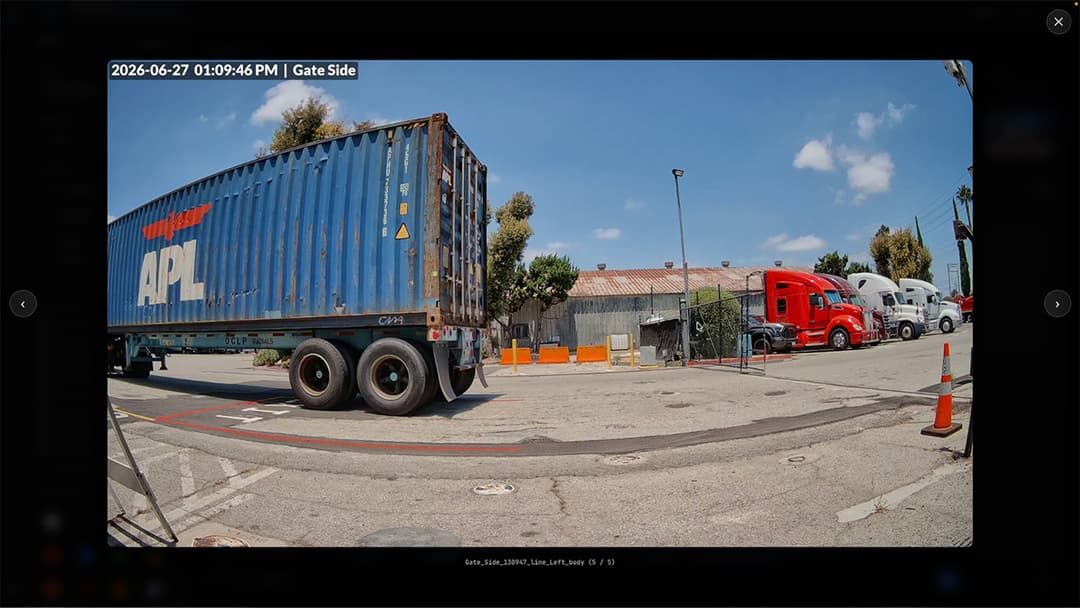
- Automated Container Number OCR: The vision engine successfully locates, parses, and indexes 40-foot intermodal container numbers, mapping them directly to the vehicle pass record.
- Search & Verification Modal: Administrators can search by partial container IDs and instantly open verified video frames where the printed container number is highlighted and cropped for visual confirmation.
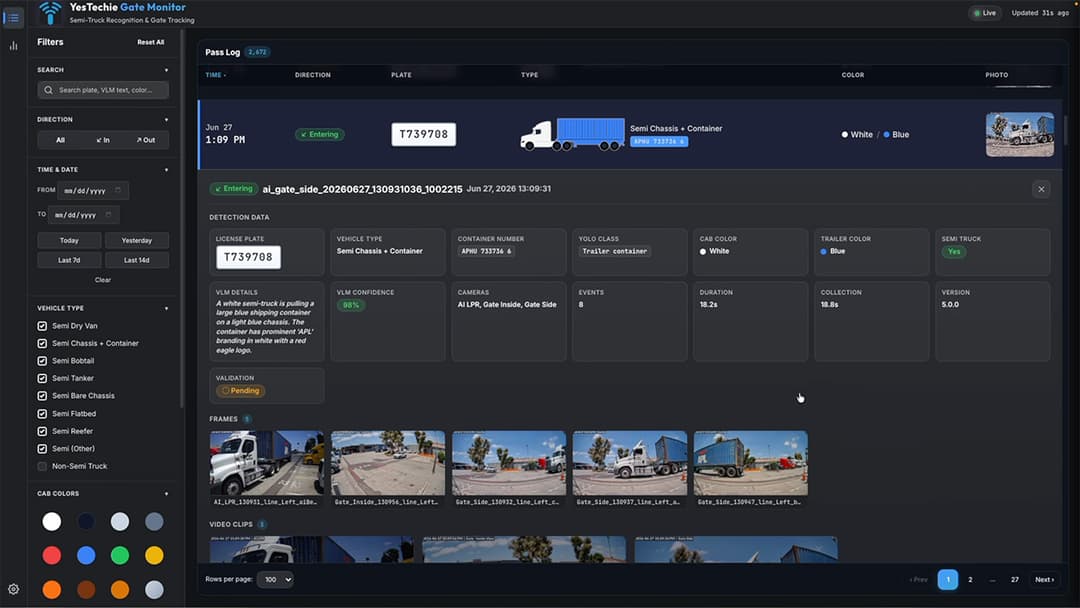
- Bare Chassis Detection: The system isolates bare chassis trailers from containerized rigs, allowing site managers to track unattached equipment staging accurately.
- Streamlined UI Tiles: Vehicle entries feature custom graphical thumbnails displaying exact trailer types (tankers, dry vans, bobtails) alongside extracted USDOT cab door panels.
By extending standard UniFi hardware with a custom AI integration, YesTechie transformed a standard security camera layout into a tailored commercial logistics platform.
About YesTechie
YesTechie operates as a nationwide Certified Ubiquiti UniFi Professional Integrator headquartered in Los Angeles, California. Founded by Anton Kuznetsov and Vladimir Chasovskikh, our engineering team builds on more than 20 years of hands-on experience in networking, physical security, and custom software development. Moving away from static playbooks, we approach IT infrastructure from first principles.
Holding an official C-7 Low Voltage Systems Contractor license (CSLB #1148851), YesTechie provides structured engineering, custom API development, and rapid hardware deployment on a nationwide scale. Whether modernizing multi-tenant logistics hubs or building bespoke computer vision dashboards, we align enterprise hardware with custom software solutions to deliver absolute data ownership without recurring subscription costs.

Engineering Consultation: Upgrade Your Security & Software Infrastructure
Managing complex commercial properties, shared freight yards, or industrial transport hubs requires infrastructure that goes beyond standard out-of-the-box hardware. Relying on manual video scrubbing or generic software leads to operational bottlenecks and unbilled yard staging.
Our technical group provides complete, end-to-end blueprinting, low-voltage integration, and custom API software development tailored to your exact business constraints. To eliminate security blind spots, automate asset logging, and audit your facility's deployment readiness, connect with our engineering team today.
- Strategic Intake Portal: Request a Custom UniFi & Software Layout Assessment
Field Tour: Watch the Full Custom AI Integration Case Study
To see the live client consultation, view the bespoke AI dashboard interface in action, and watch how we extract USDOT and container numbers via the UniFi API, watch our full field video here:
FAQ: Custom AI Integration & UniFi API Development
1. Why isn't built-in UniFi LPR enough for commercial truck yards?
Standard UniFi LPR is optimized for reading automotive license plates mounted at standard bumper heights. Commercial logistics yards require tracking non-uniform data, such as USDOT numbers on cab doors, intermodal container IDs, bare chassis numbers, and Hazmat placards, which standard LPR engines are not trained to index.
2. How does the custom AI dashboard extract data without subscription fees?
Ubiquiti provides open local API access for UniFi Protect. YesTechie deploys a local edge compute server that ingests raw RTSP video streams and telemetry directly from the UniFi NVR over the local network. All AI processing and data storage occur on site, eliminating cloud licensing costs completely.
3. Can the custom AI system identify Hazmat placards at night?
Yes. Hazardous Material (Hazmat) placards follow standardized international geometric shapes and colors. By pairing dedicated low-light UniFi AI LPR cameras with custom computer vision models, the system classifies hazard categories and UN identification numbers on incoming tankers even in low-light conditions.4. How long can commercial truck yard logs be retained locally?
Text-based telemetry logs (timestamps, container numbers, USDOT IDs, and plate records) consume minimal storage and can be retained locally for years. High-definition raw video footage is stored on local enterprise NVR hard drives and typically retained for 30 to 90 days before auto-archiving.
5. Can administrative staff export data logs for billing audits?
Yes. The bespoke web interface includes an automated export engine that generates CSV or Excel reports. Facility managers can filter traffic by date, vehicle type, or tenant and export the data to verify billing records or resolve staging disputes.