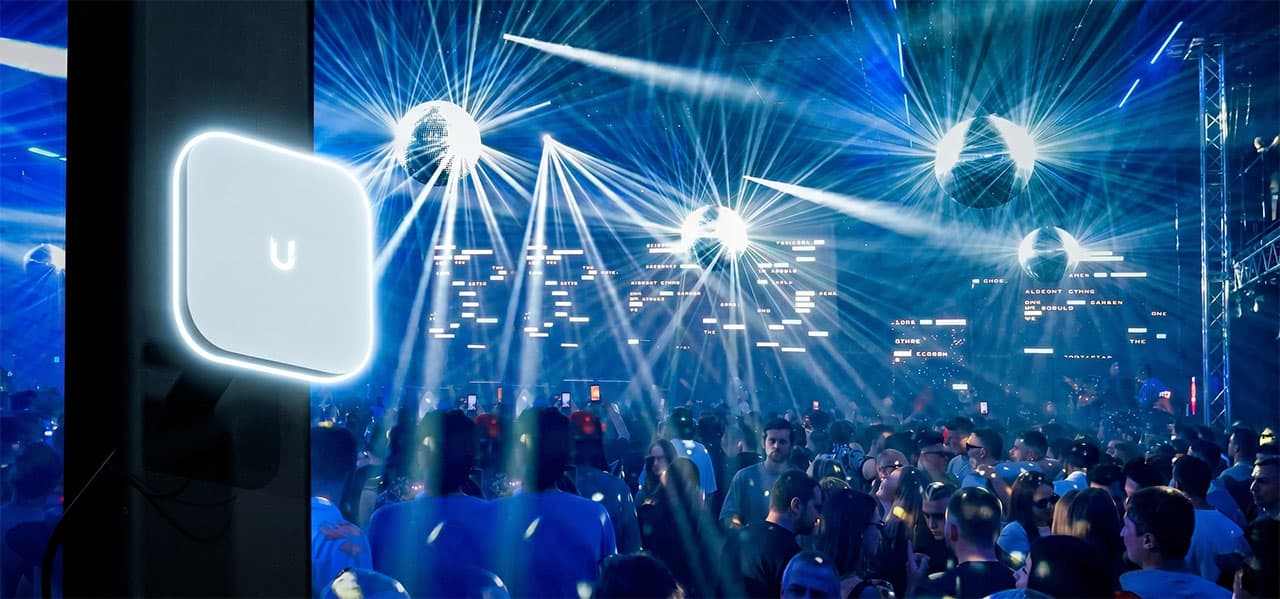
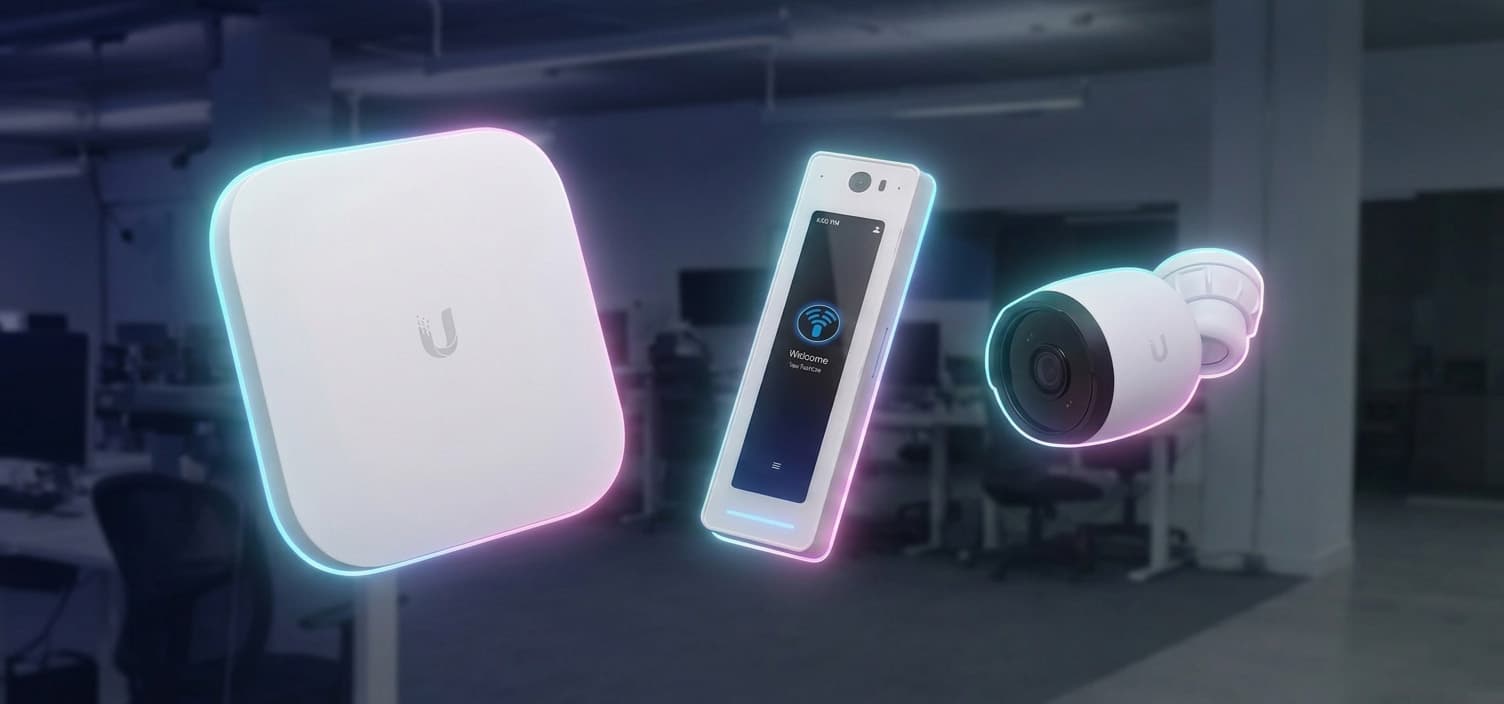
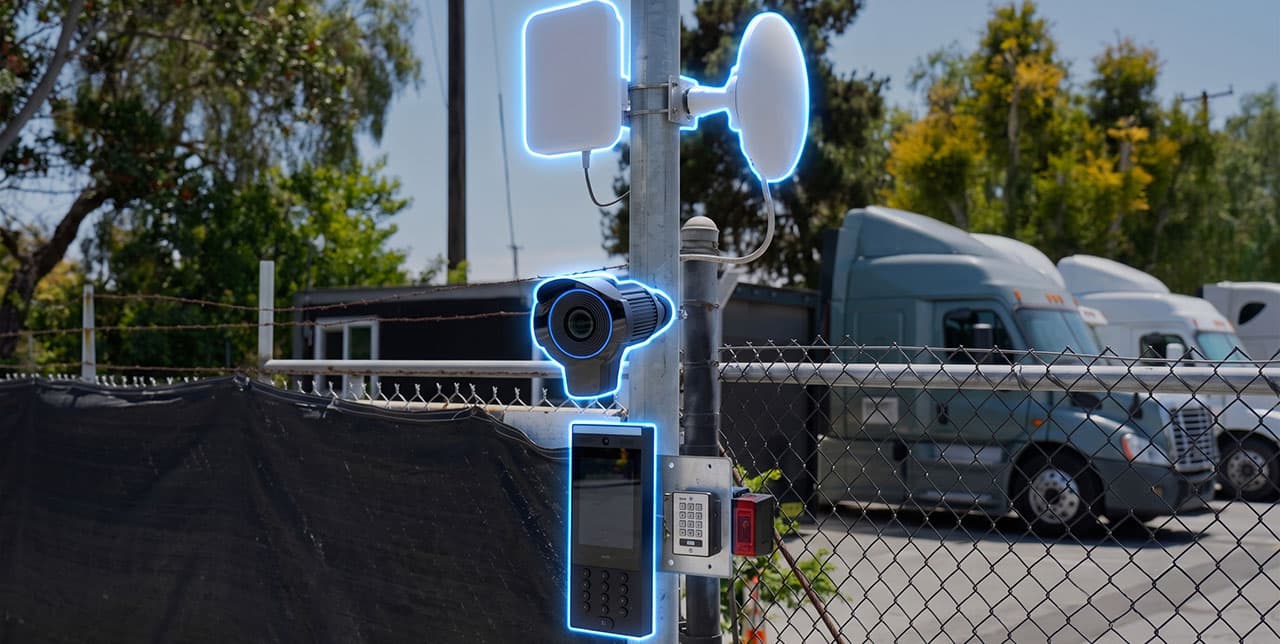
Ubiquiti WiFi 7 Access Points Overview
Originally published September 19, 2025 | Fully Updated & Revised July 29, 2026
EXECUTIVE SUMMARY
A first-person technical evaluation and architectural field guide analyzing Ubiquiti’s UniFi WiFi 7 ecosystem across high-density commercial, industrial, and broadcast environments. Grounded in my direct engineering telemetry and field deployments across enterprise sites, including a 700,000 sq ft logistics hub and multi-tier event venues, this paper breaks down Multi-Link Operation (MLO) physics, multi-gigabit Ethernet uplink bottlenecks (2.5GbE/10GbE), dedicated RF spectral analysis, native High-Availability (HA) port redundancy, and strategic access point selection matrices for low-voltage contractors and IT executives.
Intro
In the ever-evolving world of wireless networking, Ubiquiti continues to lead with its UniFi ecosystem, delivering enterprise-grade performance at accessible prices. As of 2025, Ubiquiti has expanded its WiFi 7 lineup with a diverse range of access points designed for various environments, from home offices to large-scale outdoor deployments. This review focuses on the U7 series, including the U7 Pro, U7 Pro Max, U7 Pro XG, U7 Pro XGS, U7 Pro Wall, U7 In-Wall, U7 Outdoor, and U7 Outdoor Pro, as well as the E7 series with the E7 and E7 Campus.
These models stand out for their multi-band capabilities, multi-gigabit speeds, and advanced features tailored to high-density and demanding scenarios. They build on Ubiquiti's reputation for seamless scalability and intuitive management through the UniFi Network application, making them ideal for users seeking future-proof WiFi solutions.

Parameters and Features
To make the right choice when selecting a Ubiquiti WiFi 7 access point, it's essential to understand the core parameters and advanced features that define their performance, compatibility, and suitability for different environments. These elements, such as frequency bands, throughput, and technologies like Multi-Link Operation, directly influence how well an AP meets your specific needs, whether it's handling high device density in an office or providing reliable outdoor coverage. In this review, we'll break down the most important ones step by step to empower your decision-making.
Supported Frequency Bands and Multi-Link Operation (MLO)
WiFi access points operate on multiple radio frequency bands to deliver wireless connectivity, with each band offering distinct advantages in terms of range, speed, and interference resistance.
The 2.4 GHz band provides excellent penetration through walls and obstacles, making it suitable for broader coverage and legacy device compatibility, but it tops out at lower speeds and is prone to congestion from common household devices like microwaves.
The 5 GHz band strikes a balance with higher speeds and better performance in moderately dense areas, though its range is shorter and more affected by physical barriers.
The 6 GHz band, a hallmark of WiFi 7, unlocks the fastest multi-gigabit speeds with minimal interference due to its wider available spectrum and fewer competing devices, but it has the shortest range and requires compatible clients.
Multi-Link Operation simultaneously utilizes all three bands, allowing the AP to intelligently distribute traffic, optimizing for device capabilities and network load through features like band steering. This parameter significantly impacts overall network efficiency: in environments with many devices or physical obstructions, MLO support ensures balanced performance, reduces latency, and enhances throughput for demanding applications like 4K/8K streaming or large file transfers. However, dual-band configurations (e.g., omitting 2.4 GHz for modern-focused setups or skipping 6 GHz for cost-sensitive outdoor use) can be advantageous in specialized scenarios, such as high-density venues where legacy support isn't needed or areas where regulatory or hardware constraints limit bands.

Ubiquiti WiFi 7 models featuring MLO support (2.4 GHz, 5 GHz, 6 GHz):
- U7 Pro
- U7 Pro Max
- U7 Pro XG
- U7 Pro XGS
- U7 Pro Wall
- U7 Outdoor Pro
- E7
- E7 Campus
Models with dual-band configurations:
- U7 In-Wall (2.4 GHz and 5 GHz, ideal for compact indoor installations without 6 GHz needs)
- U7 Outdoor (2.4 GHz and 5 GHz, suited for outdoor use where 6 GHz may not be feasible)
Understanding MIMO and Spatial Streams
MIMO (Multiple Input Multiple Output) uses multiple antennas to send and receive data simultaneously, leveraging multipath signals for higher throughput, range, and reliability. Configurations like 4x4 indicate the number of transmit and receive antennas, enabling features like beamforming and MU-MIMO for multi-user support. Spatial streams are the independent data channels created, limited by the MIMO setup and client capability, boosting bandwidth across bands (e.g., 2.4 GHz, 5 GHz, 6 GHz) with wider channels and advanced modulation in WiFi 7.
MIMO and Spatial Streams Examples:
- U7 Pro XGS: This tri-band AP offers 8 spatial streams (2x2 on 2.4 GHz, 4x4 on 5 GHz, 2x2 on 6 GHz), delivering up to 9.3 Gbps for dense settings like big offices, restaurants, public venues.
- U7 Long-Range: A dual-band AP with 5 spatial streams (2x2 on 2.4 GHz, 3x3 on 5 GHz), it covers up to 1750 sq ft, perfect for large areas like warehouses, supporting 300+ devices with extended range.
Ethernet Uplink Speed
The Ethernet uplink speed is the maximum data rate of the wired connection between the access point (AP) and the network backbone, preventing bottlenecks when wireless speeds exceed wired capacity. WiFi 7 APs now offer multi-gigabit uplinks (e.g., 2.5 GbE, 10 GbE) beyond 1 GbE, aligning with the standard's high throughput potential. This impacts network performance, ensuring the wired link supports the AP's full wireless capability in dense or high-demand environments.
It’s important to understand that the port speed on the switch must match the port speed on the access point to achieve full performance.
At YesTechie, we do a lot of planning and building of WiFi networks for a wide range of environments. If we’re working with a dense environment (like a crowded office or event venue), we always use access points with the highest possible uplink speed.
In our enterprise deployments, pairing a 10GbE WiFi 7 access point with a standard 1GbE switch port is a critical engineering mistake I frequently see during client audits: it creates an instant throughput bottleneck regardless of your wireless capacity.
Ethernet Uplink Speed Examples:
- The U7 Pro XG is equipped with a 10 GbE port, meaning it can support wired connections at 10/5/2.5/1 GbE speeds.
- The U7 Pro comes with a 2.5 GbE port and supports wired connections at 2.5/1 GbE speeds.
Coverage Area and Client Capacity
Coverage area refers to the estimated physical space an access point can reliably serve with strong WiFi signals, typically measured in square feet (ft²) or meters (m²) under ideal conditions like open spaces with minimal obstacles. It's influenced by antenna design, transmit power, frequency bands, and interference. Higher bands like 6 GHz offer less range, while beamforming extends it. This helps plan deployments to avoid dead zones; larger areas suit outdoor models, but real performance varies with the environment.
Coverage Area Examples:
- U7 Pro: Up to 1,500 ft² (140 m²), ideal for small to medium indoor spaces like offices or restaurants.
- U7 Outdoor: Up to 5,000 ft² (465 m²), suited for large outdoor areas or warehouses with extended signal propagation.
Client Capacity Examples:
- U7 Pro Max: 500+ devices, great for medium-density areas like schools or retail spaces.
- E7: 1000+ devices, designed for enterprise high-density scenarios like stadiums or large campuses.
As engineers at YesTechie, when selecting Ubiquiti access points for a project, we always choose models with the right balance of these two parameters to meet the specific requirements of the client.
In my field experience, theoretical coverage figures on datasheets assume zero obstacles. When designing for complex sites, my team at YesTechie always derates these capacity metrics by 20–30% to account for structural RF attenuation and physical wall density.
Weatherproofing
While this is a simple and straightforward parameter, it’s extremely important to consider. Some access point models have different Ingress Protection (IP) ratings, which indicate their level of protection against solids and liquids, for example, IPX6 for the U7 Outdoor and IP67 for the E7 Campus.
Most access points are not designed for outdoor use at all, so choosing the correct model for the environment is crucial.
Power Consumption and PoE
Power consumption measures the electrical power an access point (AP) uses, typically in watts (W), under maximum load, factoring in radios, processing, and features like spectral scanning. Lower values promote energy efficiency and reduce heat, while higher ones support advanced capabilities but increase operational costs. PoE (Power over Ethernet) delivers power and data via a single Ethernet cable, using standards like 802.3at (PoE+, up to 30W) or 802.3bt (PoE++, up to 90W), simplifying installations by eliminating separate outlets. These parameters affect project planning by influencing switch/injector selection (must match PoE standard and total budget for multiple APs), cabling (Cat6+ for higher power), budget (higher PoE gear costs more), and scalability (e.g., ensuring switch power reserves prevent overloads in large deployments).
When planning PoE budgets for multi-floor installations, I always mandate accounting for total cable length loss. Underestimating peak wattage on PoE++ models like the E7 Campus will lead to silent AP reboots under full client load.
Examples:
- U7 Pro Max: 25W max, 802.3at PoE+; suits medium-scale plans with standard PoE+ switches, keeping energy costs moderate.
- E7 Campus: 44W max, 802.3bt PoE++; requires PoE++ infrastructure, impacting planning for high-density campuses with higher power budgeting.
Dedicated Spectral Scanning/Analyzer Radio
This feature involves a separate, independent radio built into select access points that continuously monitors the radio frequency (RF) spectrum for interference sources, such as neighboring networks, microwaves, or other devices, without disrupting normal WiFi operations or client connections. Unlike standard APs that may pause data transmission to scan (leading to brief performance dips), this dedicated radio runs in the background, providing real-time analysis to identify noise, optimize channel selection, and enhance overall network decision-making. It improves WiFi reliability, throughput, and stability in crowded or interference-prone environments, like urban offices or large venues, by enabling proactive adjustments and reducing manual intervention.
Ubiquiti WiFi 7 models featuring this technology: U7 Pro Max, U7 Pro XGS, E7, E7 Campus
For high-density commercial clients, I consider dedicated spectral scanning mandatory. It eliminates manual site-survey guesswork and prevents performance dips caused by neighboring RF interference.
Native High-Availability Architecture with Redundant Ports
Ubiquiti’s WiFi 7 access points are engineered with a native high-availability (HA) architecture that ensures consistent network uptime, even in demanding enterprise environments. This design reflects years of industry experience and deep understanding of real-world deployment challenges, particularly the need for uninterrupted connectivity in mission-critical scenarios.
At the core of this architecture is built-in port-level redundancy. Each access point is equipped with dual Ethernet ports:
- A primary high-speed uplink (e.g., 10 GbE) used for standard data transmission and power delivery
- A secondary redundant port (e.g., 1 GbE) that automatically activates in the event of a failure, such as a damaged cable, switch malfunction, or loss of power on the primary line
This automatic failover mechanism operates natively, without requiring manual intervention or complex network configurations like spanning tree protocols. In more advanced deployments, this functionality can be further enhanced by integrating with UniFi’s broader high-availability ecosystem, including redundant switches, controllers, and power supplies.
Ubiquiti WiFi 7 Access Points with Native HA: E7 and E7 Campus
Field Evidence: Real-World YesTechie Deployments
Field Evidence: Real-World YesTechie Deployments
To demonstrate how these theoretical specifications perform under real-world commercial stress, the following field case studies examine three high-stakes environments engineered by the YesTechie team:
1. Industrial Scale: 700,000 Sq Ft Logistics Hub
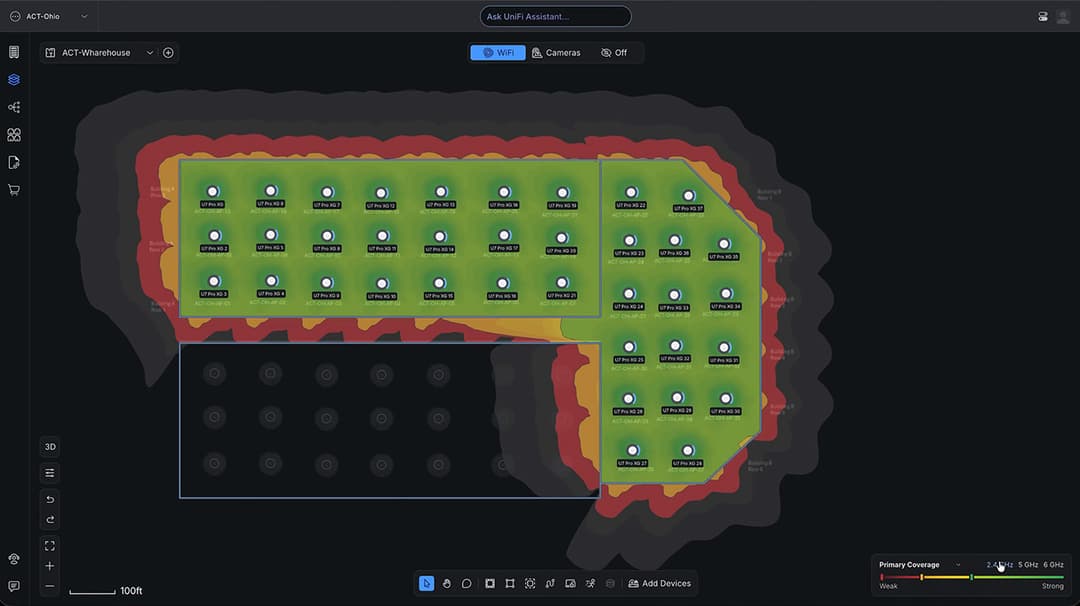
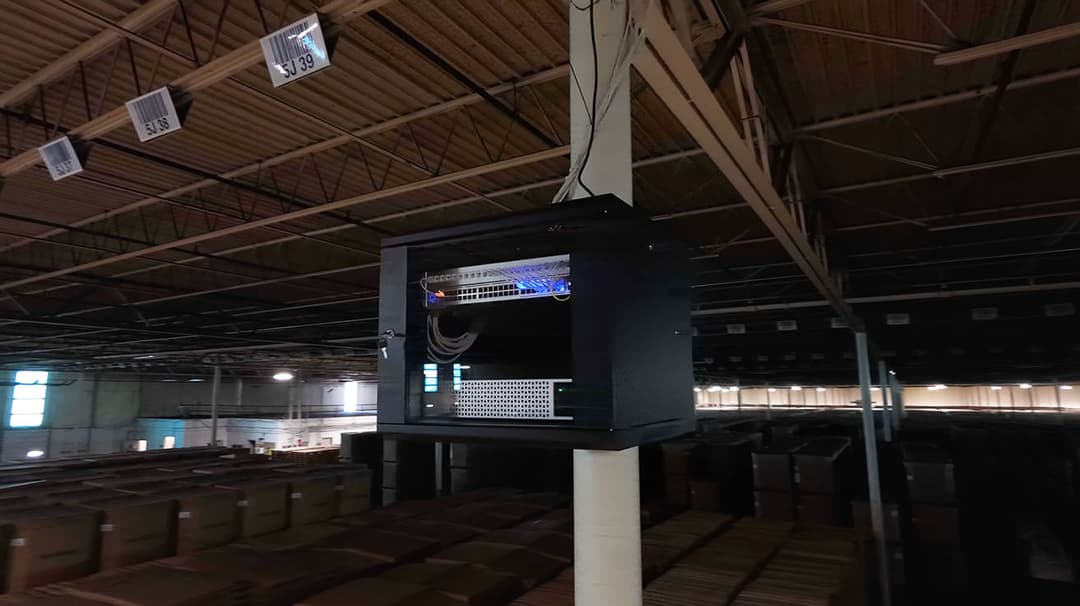
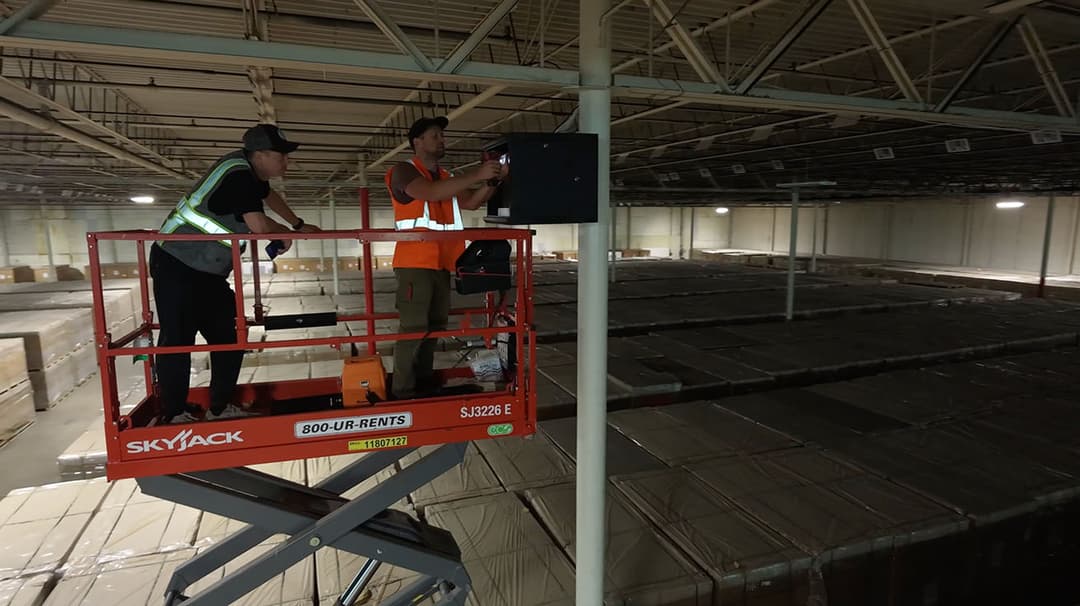
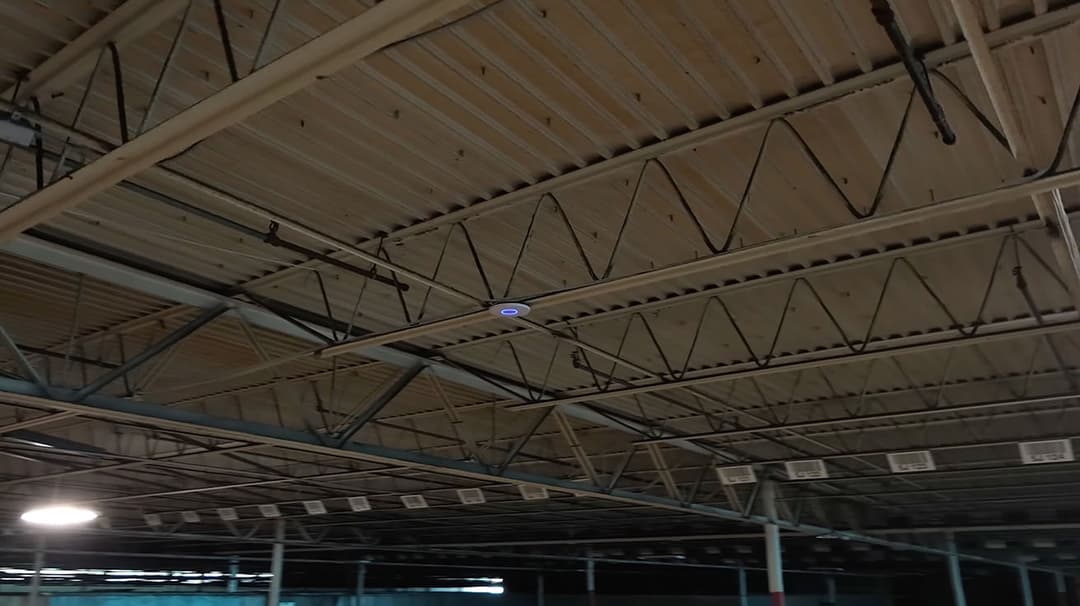
- The Challenge: Providing continuous, zero-latency wireless coverage across a massive 700,000 sq ft logistics facility presented severe radio frequency obstacles. Massive steel racking arrays, dense inventory stacking, and constant motion from high-reach forklifts created unpredictable signal attenuation and dead zones. The primary requirement was guaranteeing seamless roaming for handheld inventory scanners and automated machinery under a strict 20-day deployment deadline.
- Architectural Solution: Our engineering team deployed a distributed network core powered by Enterprise U7 Pro XG Access Points (Wi-Fi 7 Standard). To overcome physical barriers, access points were elevated on custom mounting brackets along structural trusses, utilizing directional signal propagation to penetrate deep warehouse aisles. The entire wired backhaul was upgraded to multi-gigabit switches to eliminate data bottlenecks between intermediate distribution frames (IDFs).
- Measurable Outcome: Delivered complete coverage across the entire 700k sq ft footprint within the 20-day limit. Post-installation heatmapping confirmed sub-10ms roaming latency across all inventory zones with zero packet drops for active barcode scanners and automated logistics hardware.
2. Ultra High-Density: Commercial Event Space & Broadcast Studio
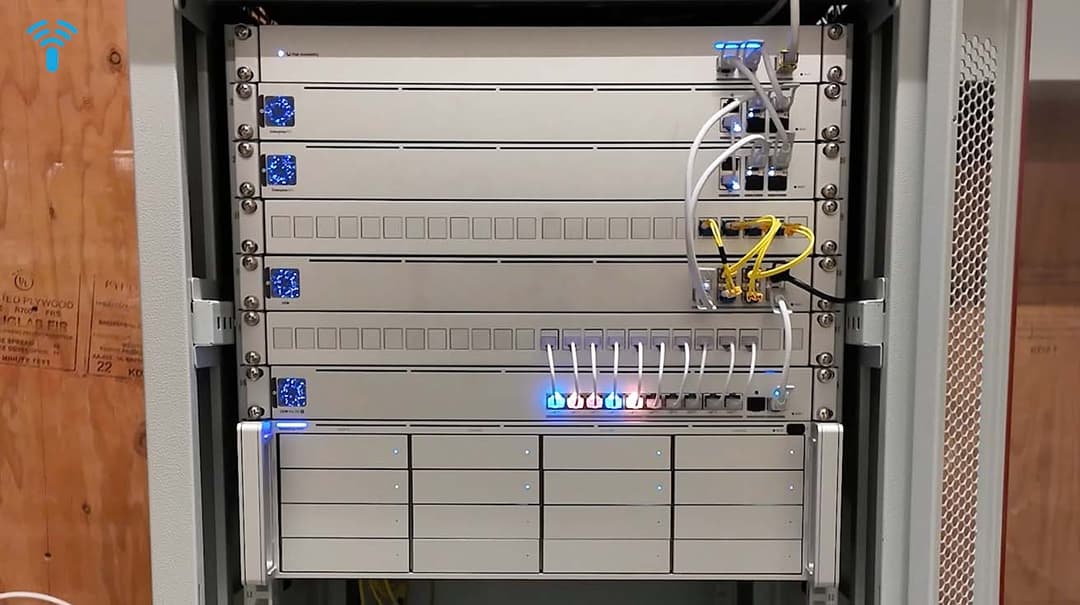
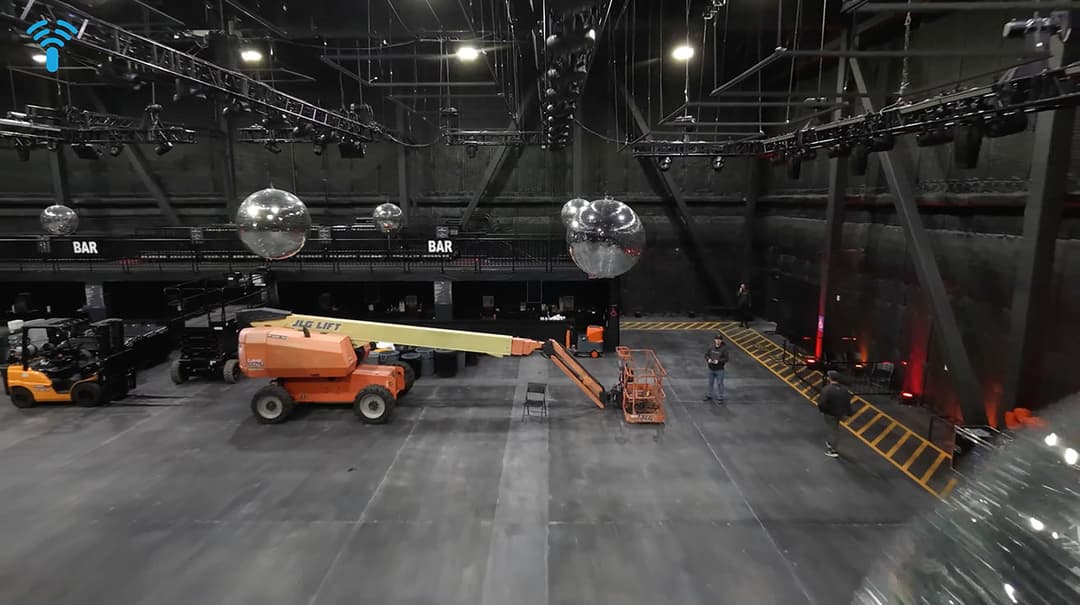
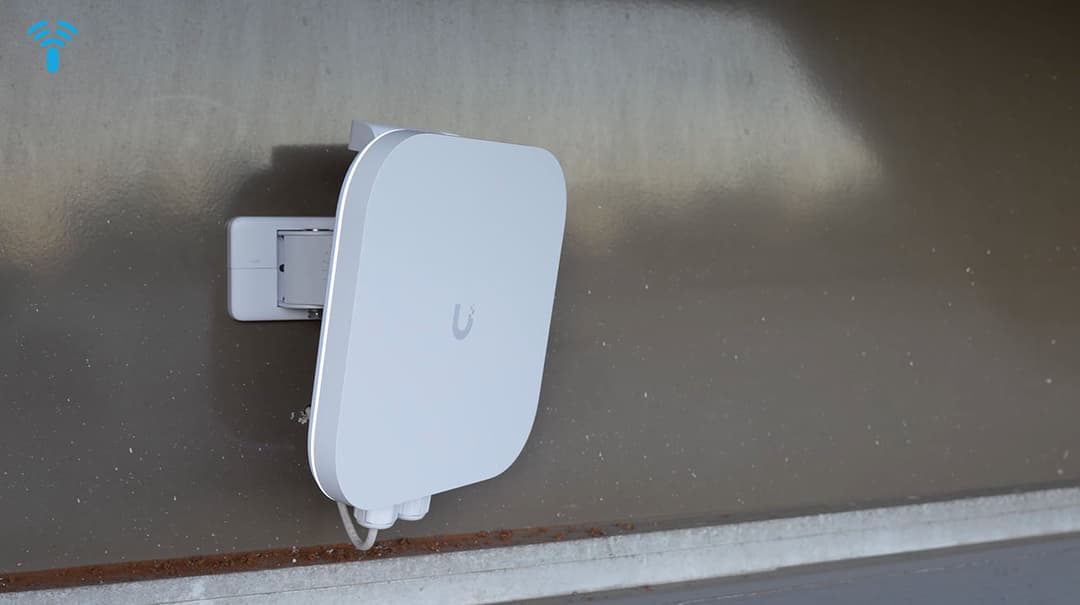
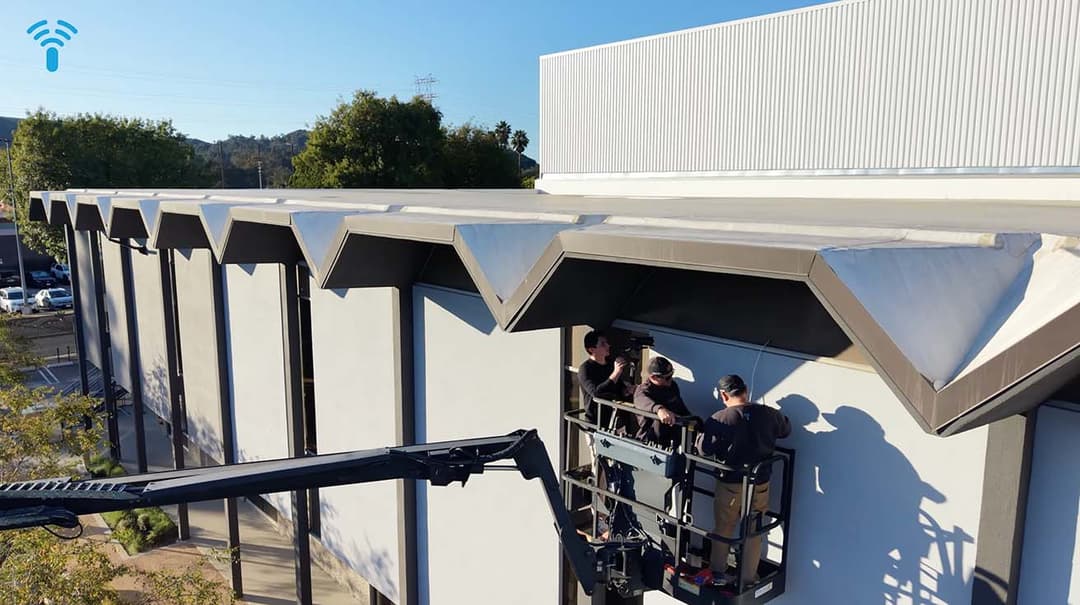
- The Challenge: Transforming an industrial Los Angeles warehouse into BlueGround Studios, a multi-tier commercial venue for live music festivals, corporate events, and film production, required a "utility-grade" network infrastructure. The venue needed to support thousands of concurrent festival attendees on public WiFi while simultaneously isolating high-bandwidth media streams for visiting film production crews and transactional point-of-sale (POS) systems.
- Architectural Solution: We architected a 25 Gbps-ready fiber optic backbone connecting a central Main Distribution Frame (MDF) to four remote IDFs. The core gateway layer was built using dual Enterprise Gateways configured in High-Availability Shadow Mode for instant hardware failover. For wireless delivery, high-capacity UniFi E7 Campus Enterprise Access Points were deployed across the staging arenas, supported by strict VLAN segmentation and Quality-of-Service (QoS) rules to separate talent WiFi, production crews, and payment processing terminals.
- Measurable Outcome: During its initial major music festival test, the network maintained 100% uptime under heavy concurrent client density, delivering zero latency spikes, zero connection dropouts, and instant plug-and-play network onboarding for visiting production teams.
3. Scalable Commercial Offices: Multi-Floor Corporate HQ
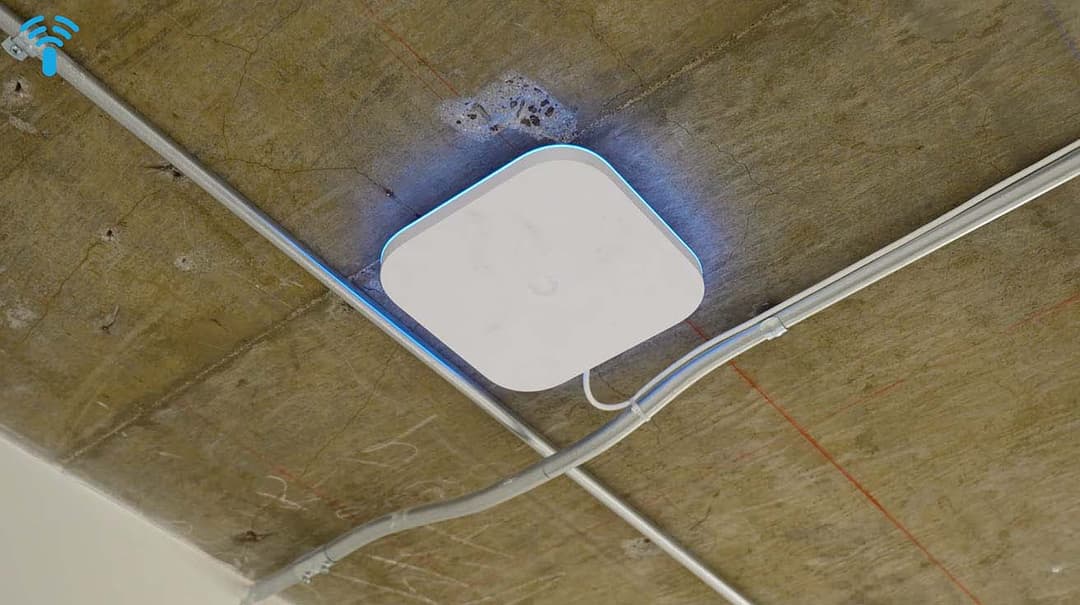
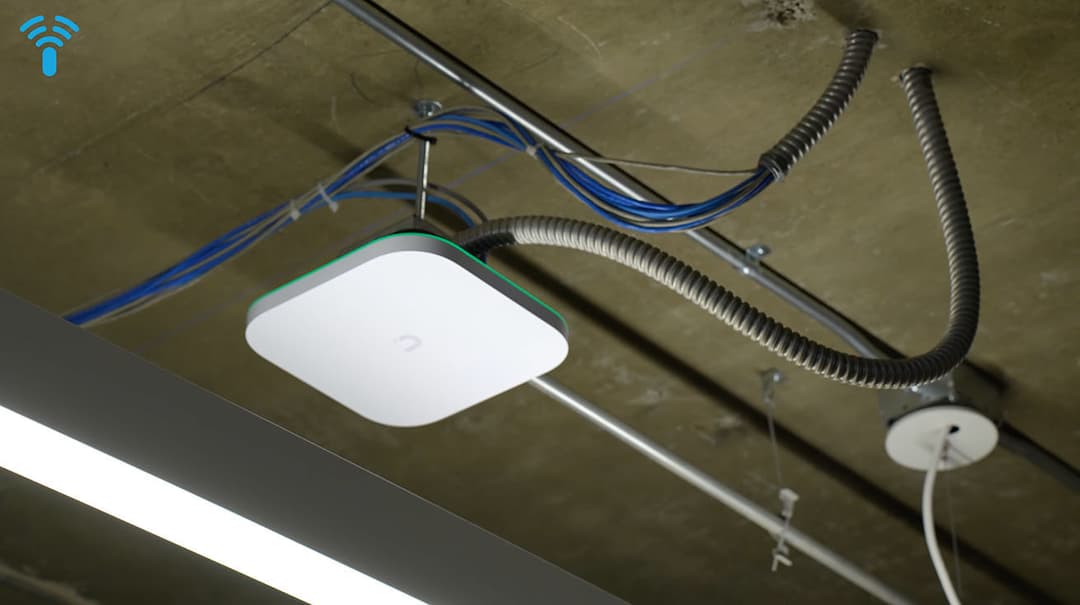
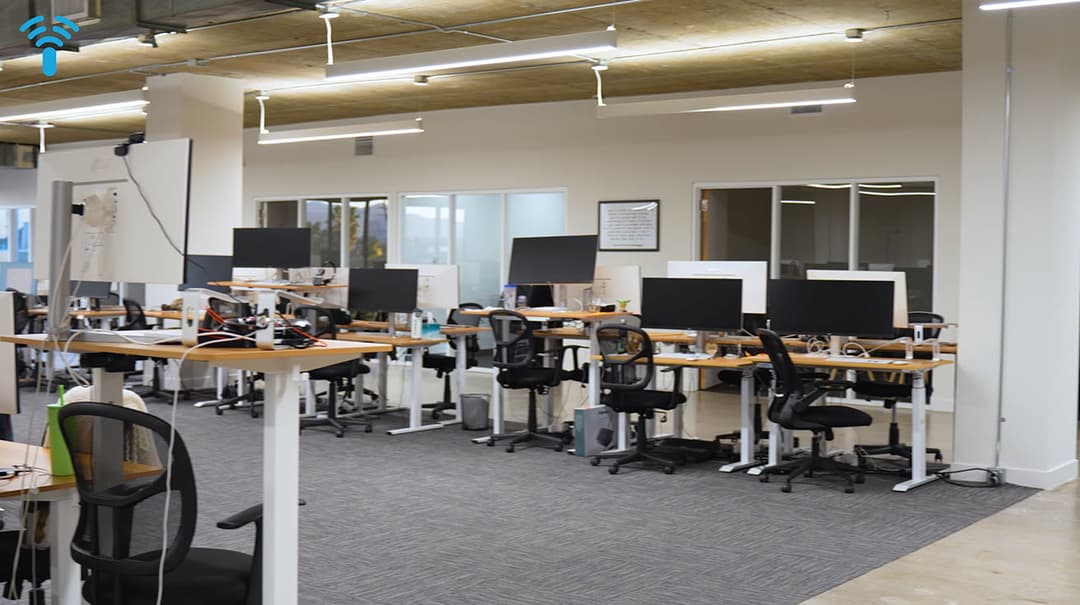
- The Challenge: Deploying a modern network infrastructure for the multi-floor BuildOps corporate office required balancing high-speed wireless delivery for workstation laptops with dedicated low-voltage infrastructure. The system needed to support dense Zoom video conferencing rooms, IP surveillance cameras, and door access control without cluttering open architectural ceilings or creating network crosstalk.
- Architectural Solution: Our team separated high-bandwidth office traffic from low-voltage security operations at the switch layer using a dual-switch IDF matrix (USW-Pro-XG-24-PoE paired with a USW-Pro-Max). We upgraded the wireless access layer to UniFi E7 WiFi 7 Enterprise Access Points (transitioning from the previous U6 Pro base), integrating them directly into exposed ductwork and dropped acoustic tile systems powered by high-capacity PoE+ lines.
- Measurable Outcome: Built a scalable, multi-floor network backbone that delivers uniform multi-gigabit speeds across all open-office desk clusters and conference rooms, maintaining clean visual aesthetics while isolating internal security feeds from corporate LAN traffic.
UniFi WiFi 7 Model Comparison Matrix
Specifications, uplink speeds, coverage, and client capacity across U7 Pro, U7 Pro Max, U7 Pro XGS, and E7 Campus models.

For quick reference, here is the text-based breakdown of the UniFi WiFi 7 model comparison shown in the image above:
Ubiquiti U7 Pro- Bands / MLO: Tri-Band (2.4 / 5 / 6 GHz)
- Uplink Speed: 2.5 GbE RJ45
- Coverage / Capacity: 1,500 sq ft / 300+ Devices
- Target Environment: Standard commercial offices, retail, medical clinics
Ubiquiti U7 Pro Max- Bands / MLO: Tri-Band + Dedicated Spectral Radio
- Uplink Speed: 2.5 GbE RJ45
- Coverage / Capacity: 1,500 sq ft / 500+ Devices
- Target Environment: High-density corporate spaces, schools, crowded retail
Ubiquiti U7 Pro XGS- Bands / MLO: Tri-Band (8 Spatial Streams) + Spectral Radio
- Uplink Speed: 10 GbE RJ45
- Coverage / Capacity: 2,000 sq ft / 500+ Devices
- Target Environment: Event venues, broadcast production studios, high-throughput labs
Ubiquiti E7 Campus- Bands / MLO: Tri-Band + Dedicated Spectral Radio
- Uplink Speed: 10 GbE SFP+ / RJ45 Redundant (Native HA)
- Coverage / Capacity: 3,000+ sq ft / 1000+ Devices
- Target Environment: Stadiums, university campuses, 700k+ sq ft logistics hubs
Conclusion
Based on my multi-year telemetry engineering of low-voltage networks across our client deployments, Ubiquiti’s WiFi 7 lineup delivers unprecedented enterprise performance, provided the underlying wired backbone and PoE budget are architected correctly. Ubiquiti's WiFi 7 access points, from the versatile U7 series to the enterprise-focused E7 models, offer a robust lineup that pushes the boundaries of wireless performance with features like tri-band operation, high spatial streams, and advanced interference management. Whether you're dealing with high-density indoor spaces, expansive outdoor areas, or mission-critical environments, these devices provide scalable solutions that balance speed, coverage, and reliability.
Designing a WiFi network for a specific environment involves a lot of factors, including site layout, user density, interference sources, and future scalability. You need to carefully choose the right equipment and consider a lot of specifics like power requirements, mounting options, and integration with existing infrastructure. At YesTechie, we have years of experience designing and installing WiFi networks for different unique environments and client requirements, ensuring tailored solutions that maximize performance and minimize issues. If you're planning a deployment, reach out to us for expert guidance.
Frequently Asked Questions (FAQ)
1. Do I need to upgrade my network switches to support UniFi WiFi 7 access points?
In most cases, yes. To unlock the full bandwidth of WiFi 7, your switch infrastructure should support Multi-Gigabit Ethernet (2.5 GbE or 10 GbE) and supply proper Power over Ethernet standards (PoE+ 802.3at or PoE++ 802.3bt). Connecting a U7 Pro to a standard 1 GbE switch will cap total throughput at 1 Gbps regardless of wireless capacity.
2. What is the main advantage of Multi-Link Operation (MLO) in enterprise environments?
MLO allows WiFi 7 client devices to send and receive data across multiple frequency bands (2.4 GHz, 5 GHz, and 6 GHz) simultaneously. This significantly reduces connection latency, prevents channel congestion in dense spaces, and ensures seamless failover if one frequency band experiences RF noise.
3. When should we choose the U7 Pro Max over the standard U7 Pro?
Choose the U7 Pro Max if your environment handles high device density (300+ concurrent connections per AP) or operates in high RF noise areas. The U7 Pro Max includes a dedicated background spectral analysis radio that continuously monitors RF interference and optimizes channel selection without disconnecting users.
4. How does the E7 Campus AP handle native high availability and redundancy?
The E7 Campus is engineered with dual high-speed Ethernet ports. If the primary 10 GbE link loses signal due to physical cable damage or switch port issues, the secondary redundant port instantly takes over network traffic natively without downtime.
5. Can UniFi WiFi 7 access points be installed outdoors?
Dedicated outdoor models like the U7 Outdoor (IPX6 rated) and E7 Campus (IP67 rated) are designed specifically for harsh weather conditions, extreme temperature swings, and outdoor pole/wall mounting. Standard indoor models (U7 Pro / Pro Max) are not weather-sealed and should not be exposed to outdoor elements.
6. How does YesTechie assist with enterprise WiFi 7 planning and deployment?
As certified UniFi network architects, YesTechie Corp handles the complete lifecycle: from initial RF heatmapping and Cat6A structured cabling to 10/25 Gbps switch core integration and post-installation throughput testing. Contact our team to design a bottleneck-free wireless network tailored to your facility.
Glossary
To wrap up this overview of Ubiquiti's WiFi 7 access points, here's a comprehensive glossary of all abbreviations used throughout the article. These terms are listed alphabetically for easy reference, with brief explanations where relevant to networking contexts.
- AP: Access Point – A device that provides wireless connectivity to a network.
- GbE: Gigabit Ethernet – Wired networking standard supporting up to 1 Gbps (or higher in multi-GbE variants).
- Gbps: Gigabits per Second – Unit of data transfer speed.
- GHz: Gigahertz – Unit of frequency for radio bands.
- HA: High Availability – Design ensuring minimal downtime through redundancy.
- IoT: Internet of Things – Network of connected devices.
- IP67: Ingress Protection 67 – Rating for dust and water resistance.
- IPX6: Ingress Protection X6 – Rating for water resistance (X indicates unspecified dust protection).
- MIMO: Multiple Input Multiple Output – Antenna technology for improved wireless performance.
- MLO: Multi-Link Operation – WiFi 7 feature combining multiple bands for better speed and reliability.
- MU-MIMO: Multi-User Multiple Input Multiple Output – MIMO extension for simultaneous multi-device communication.
- OFDMA: Orthogonal Frequency Division Multiple Access – Technique for efficient bandwidth allocation.
- PoE: Power over Ethernet – Method to supply power via Ethernet cables.
- RJ45: Registered Jack 45 – Standard Ethernet connector.
- WiFi: Wireless Fidelity – Standard for wireless local area networking.